Home YouTube automatic captions

Made by YouTube after the upload, if the language is supported

YouTube automatic captions: how they work, and where they stop.

YouTube’s automatic captions are written by speech recognition after a video is uploaded. You do not have to switch them on: when YouTube supports the video’s language, it creates them by itself, usually within minutes to a few hours, and viewers turn them on with the CC button. You can review and edit them in YouTube Studio. They have limits worth knowing: they can fail on hard audio, they only exist on YouTube, and you cannot style them.

From €4.99/month
Or work on the web →

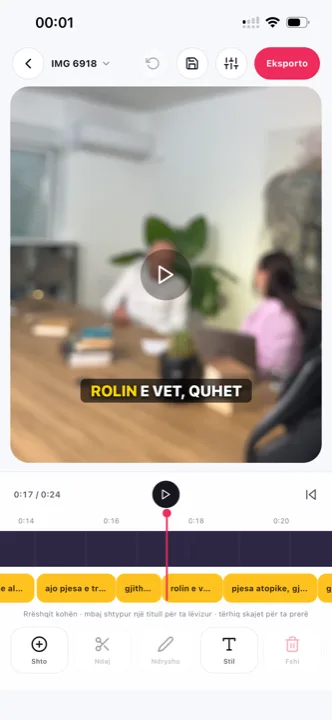
Captions for YouTube in Titro: the caption editor with every word timed
why

How YouTube’s automatic captions work.

01 Speech recognition after upload

Once the video has processed, YouTube runs speech recognition on it and adds a caption track marked as automatic. YouTube itself says the time this takes depends on how complex the audio is, so captions may not be ready right after upload.

02 Long videos and Shorts

Automatic captions are offered for long-form videos and Shorts in a long list of languages. Automatic captions on live streams are English only.

03 Quality depends on the audio

Clear speech close to the microphone comes out well. Music under the voice, people talking over each other and unusual names are where the mistakes gather, and those are the captions viewers notice.

04 Viewers choose whether to see them

Automatic captions are a track the viewer switches on with CC. They are not part of the picture, so anyone watching with captions off, or watching the video somewhere else, never sees them.

steps

How to check and edit automatic captions in YouTube Studio.

01

Open YouTube Studio

Sign in at studio.youtube.com and choose Subtitles in the menu on the left.

02

Pick the video

Click the video. Its subtitle tracks are listed, and the automatic one is marked as automatic.

03

Review and edit

Click More next to the track and edit the lines that were heard wrong, especially names, places and numbers.

04

Or upload your own file

If the automatic track is missing or full of mistakes, upload a subtitle file instead. YouTube accepts .srt files, and a file you upload shows as soon as it is saved.

in practice

YouTube auto captions, in practice.

Why automatic captions sometimes never appear

YouTube lists the reasons in its own help pages: the captions are not ready yet because the audio is complex, the language is not supported, the video is too long, the sound is poor or the speech is not recognised, there is a long silence at the start, or several people or several languages speak at once. You cannot speed up the queue. What you can do is upload a file you made yourself. How long the wait usually is, and what to do meanwhile, is in how long YouTube takes to generate captions.

When to upload your own .srt instead

Upload your own subtitles when the video mixes languages, when names and brands must be right, or when the video is in a language YouTube does not caption. Titro writes an .srt from the video in Albanian, English, German, Italian, French or Turkish, with every word timed, and you correct it before you upload. Speaker names go into the file when more than one person talks. The steps are on the YouTube subtitle generator page.

Captions that travel with the video

A Short that is also posted to Reels or TikTok loses YouTube’s captions on the way, because they are not in the file. Burned-in captions are part of the picture: they show with the sound off, on every platform, in a style you choose. Titro exports the video with them at up to 1080p, and the same project gives you the .srt for YouTube. For Shorts specifically, see YouTube Shorts captions.

Translating captions for other viewers

YouTube can auto-translate captions for viewers who ask for it. If you want a translation you have read and checked, Titro translates the subtitles between Albanian, English, German, Italian, French and Turkish, and you download a separate .srt for each language. Translated minutes count double. Details are on the video subtitle translator page.

What Titro costs

YouTube’s automatic captions are free. Titro’s first video is free up to three minutes, with no card and a small Titro mark on the video; an .srt has no picture, so it has no mark. After that, Creator is €4.99 a month for 300 minutes, with videos up to 60 minutes each.


questions

What you should know.

How do I turn on automatic captions on YouTube?

As the uploader you do not need to: YouTube creates them by itself when it supports the language. Viewers switch them on with the CC button.

How long do YouTube automatic captions take?

Usually minutes to a few hours after the video has processed. YouTube says it depends on how complex the audio is.

Why are there no automatic captions on my video?

Common reasons are a language YouTube does not support, a very long video, poor sound, a long silence at the start, or people speaking over each other.

Can I edit YouTube’s automatic captions?

Yes. In YouTube Studio, open Subtitles, choose the video and click More next to the track to edit it.

Do automatic captions stay on the video when I download it?

No. They are a separate track on YouTube. Burned-in captions are the ones that stay in the picture.

Can I upload my own subtitles to YouTube?

Yes. YouTube accepts .srt files. Titro Studio downloads one from your video, timed to every word.

Does YouTube caption live streams automatically?

Only in English, according to YouTube’s help pages.

also

Subtitles for everywhere you post.

sources

Where these facts come from.

Vendor pricing and help pages first; a third-party source only where the vendor publishes no page. If something has changed, write to support@titroshqip.com and we will correct it.

Try it on your next video.

Upload it now and see it finished before your coffee’s done.

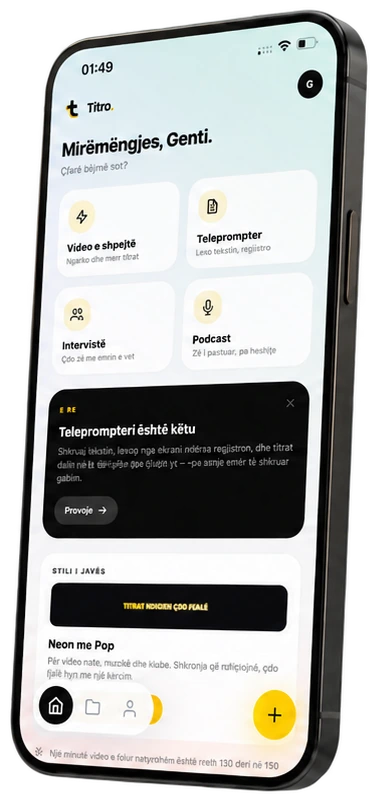
Titro on a phone, showing the home screen and subtitle tools