Home AI voice generator

4 voices per language English, German, Italian, French, and Albanian in beta

An AI voice generator that gives you the subtitles too.

Titro’s AI voice generator turns text into speech. Paste a script of up to 5,000 characters, pick one of four voices in English, German, Italian or French, set the speed and generate. You download the voice as MP3 or WAV, together with an .srt subtitle file timed to the same words. Albanian has four voices as well and is in beta. Before you generate anything, you can listen to free previews of the opening.

From €4.99/month
Or work on the web →

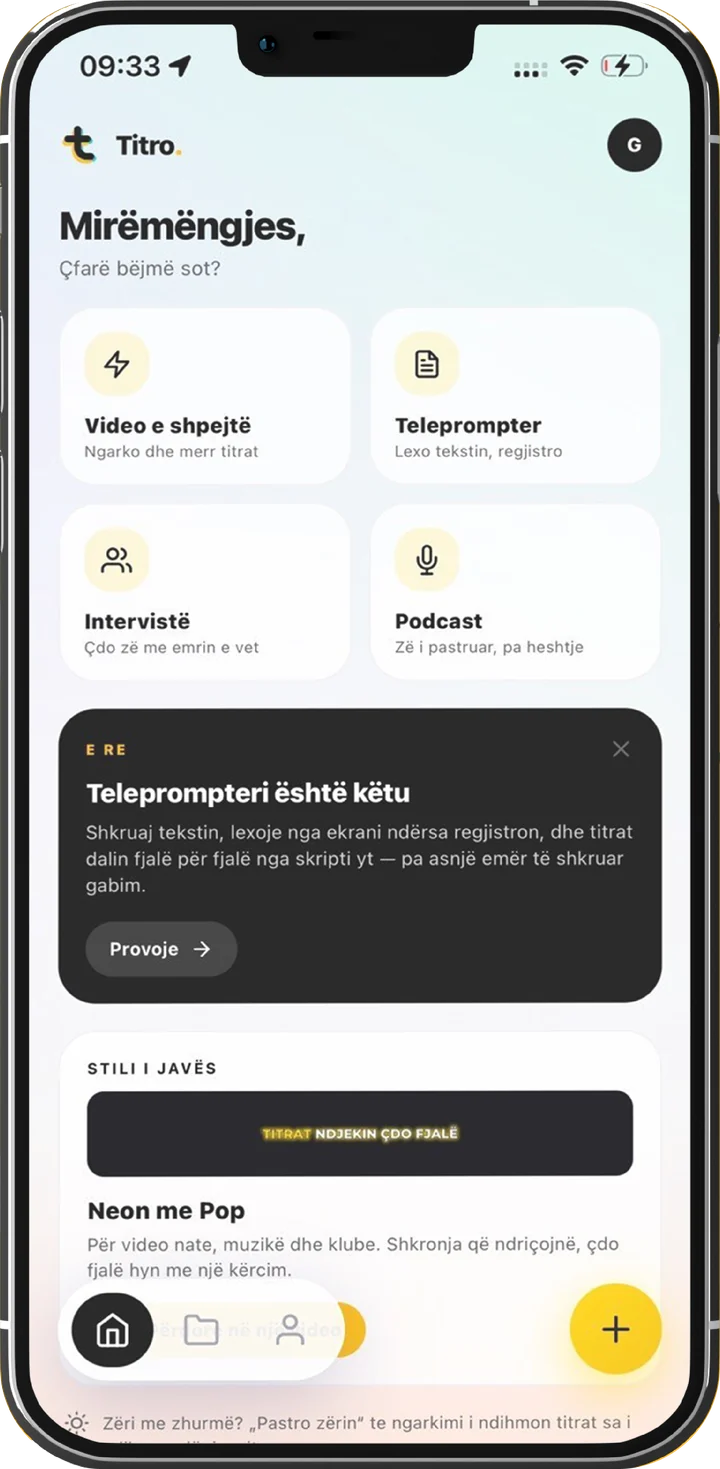
AI voice generator in Titro: the home screen with the AI voice card
why

What the AI voice generator does.

01 Text in, a voice-over out

Type or paste the script, up to 5,000 characters at once, which is several minutes of speech. Titro reads it in the voice you picked and gives you an audio file that is clean the first time: no room noise, no retakes, no microphone to buy.

02 Subtitles from the same generation

Every voice comes with an .srt file timed to it. Upload the .srt next to the video on YouTube or import it into your video editor, and the subtitles line up with the audio without any extra work.

03 Two voices in one file

Write the lines as A: and B:, choose a voice for each, and one generation reads the whole conversation with natural pauses between the turns. The .srt names each speaker. How to write one is on the dialogue text to speech page.

04 On the phone and in the browser

AI voice is in the iPhone and Android app and in Titro Studio at app.titro.live, on the same account. Write the script at your desk and generate it on the phone, or the other way round.

steps

How to turn text into speech in Titro.

01

Open AI voice

On the app’s Home screen, tap the AI voice card. In Titro Studio it is a tile in Projects. The first time, you confirm that the text is yours to use and that you will not imitate a real person.

02

Paste the script and pick a voice

Choose the language, then one of its four voices. Each voice has a sample you can play. Set the speed between 0.8× and 1.2×.

03

Preview the opening

A preview reads the start of the text, up to 200 characters, for free. You have 20 previews a day, enough to try every voice on your first sentence.

04

Generate and download

Generate the whole text, then download MP3 or WAV and the timed .srt. The voice uses minutes from your account: a minute of speech is a minute of your plan.

in practice

Text to speech with Titro, in practice.

Which voice, which speed

Play the same first sentence in two or three voices before you choose. A product demo usually sounds right in a calm voice at 1.0×, and a short social clip can take 1.1×. If a voice sounds rushed, lower the speed and add commas before you switch to another voice. The preview uses the speed you set, so what you hear is what you get.

Write the script for the ear

An AI voice reads exactly what is written, so the text decides how natural it sounds. Use short sentences with one idea each, and write numbers and abbreviations the way they are said: “twenty twenty-six”, “for example”. About 140 to 160 words make a minute of speech. The full checklist is in the guide to AI voice-over for videos, and the structure of the script in how to write a video script.

Putting the voice under a video

The voice comes as an audio file. Put it on the audio track of the editor you already use, such as CapCut, iMovie or Premiere Pro, and cut the picture to the voice. For subtitles, upload the .srt next to the video, or upload the finished video to Titro and get the words burned into the picture in the style you choose. Placing the AI voice inside a video in Titro’s own editor is not open to everyone yet.

What it does not do

Titro does not clone voices and will not imitate a real person: you choose from the voices it has. It does not dub a video from one language into another, and there is no Turkish voice. Albanian is in beta: the four voices read the standard language clearly, and the accent is not yet native. The details are on the Albanian text to speech page.

What it costs

Previews of the opening are free, 20 a day. A full generation uses the minutes on your account, the same minutes your captions use: one minute of voice for one minute of plan. Creator is €4.99 a month for 300 minutes, and Studio is €29 a month for 3,000 minutes under fair use.


questions

What you should know.

Is there a free AI voice generator in Titro?

Previews are free: up to 200 characters of the opening, 20 a day. Generating the full text uses minutes from your account.

Which languages does the AI voice speak?

English, German, Italian and French, with four voices each, and Albanian in beta, also with four voices. There is no Turkish voice.

How long can the text be?

Up to 5,000 characters in one generation.

Which files do I get?

The audio as MP3 or WAV, and an .srt subtitle file timed to the voice.

Can two voices talk to each other?

Yes. Start the lines with A: and B:, pick a voice for each, and one generation makes the whole dialogue. See dialogue text to speech.

Can I clone my own voice?

No. Titro does not clone voices and will not imitate a real person.

Can Titro put the AI voice into my video?

Not for everyone yet. Download the audio and add it in your video editor. Then upload the finished video to Titro if you want the subtitles burned in.

Does it work on Android and on the web?

Yes. AI voice is in the iPhone and Android app and in Titro Studio in the browser.

also

Subtitles for everywhere you post.

Paste a script and hear it read aloud.

Preview the opening for free, then generate the voice and its subtitles together.

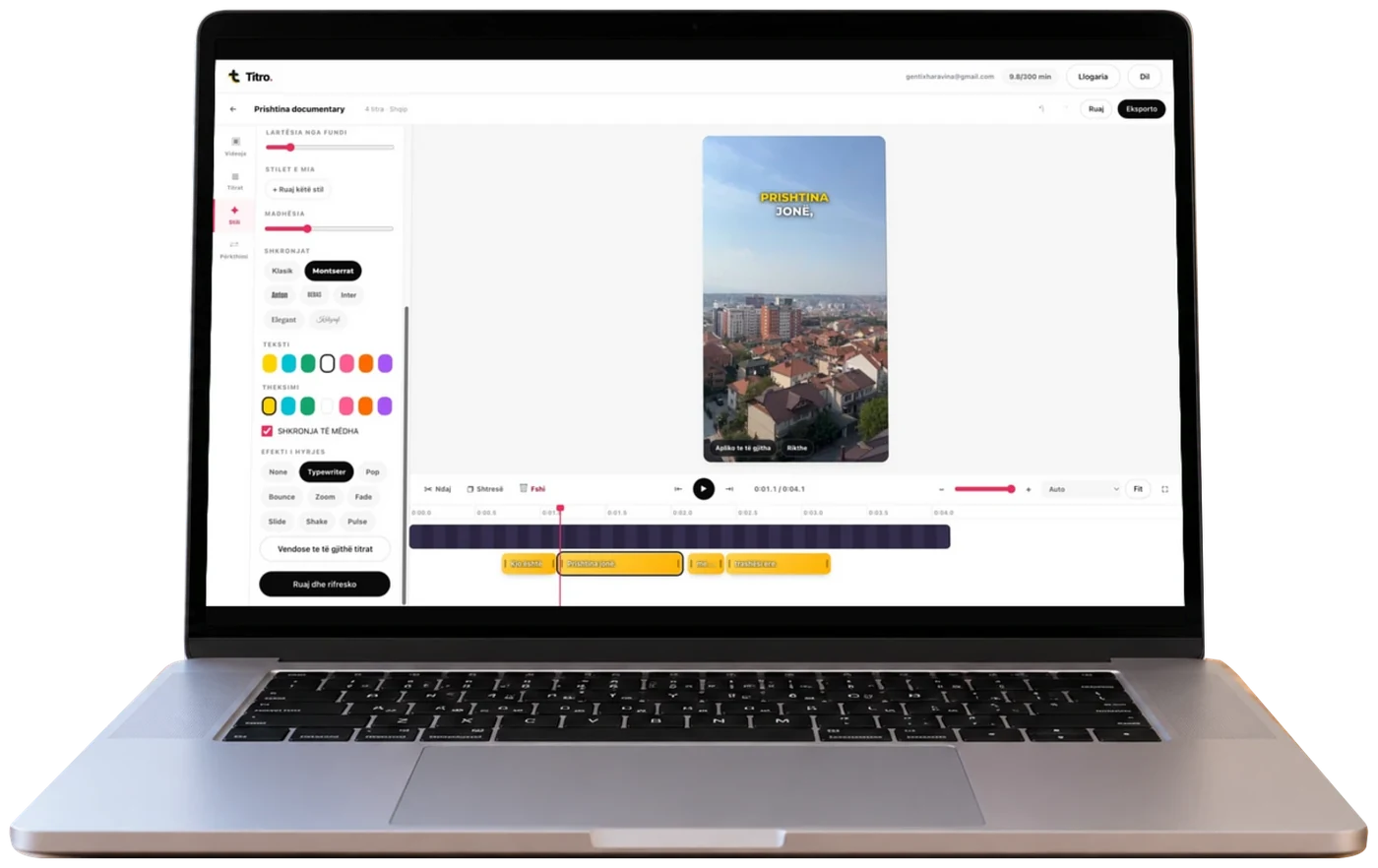
Titro Studio open on a laptop, with subtitles over a video