Home Podcast subtitles

180 min per episode on the Studio plan

Podcast subtitles for the whole episode.

Podcast subtitles done by hand take a day’s work for an hour of conversation. Titro listens to the whole thing and returns it timed to every word, with every speaker named, ready to cut into clips.

From €4.99/month · 300 minutes of video · cancel any time
Or work on the web →

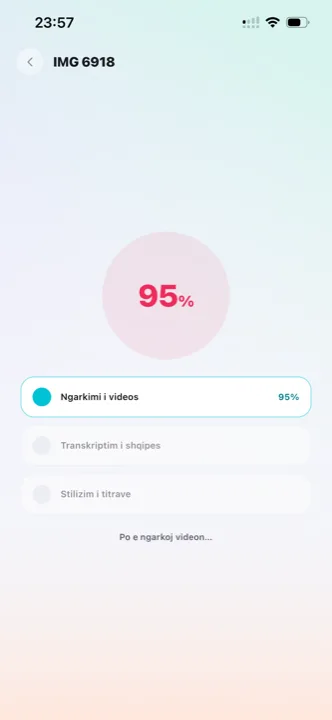
Podcast subtitles being generated for a full episode in Titro
why

Why podcast subtitles with Titro.

01 The full episode, not just the clip

Upload the whole recording — up to 60 minutes on Creator, 180 on Studio. The transcript comes back timed to every word, so any clip you cut afterwards is already subtitled.

02 Every speaker named

Say at upload that more than one person is talking and each voice gets its own name and colour. No caption ever mixes two speakers, and the names are written into the .srt as well.

03 Titro Studio, on a big screen

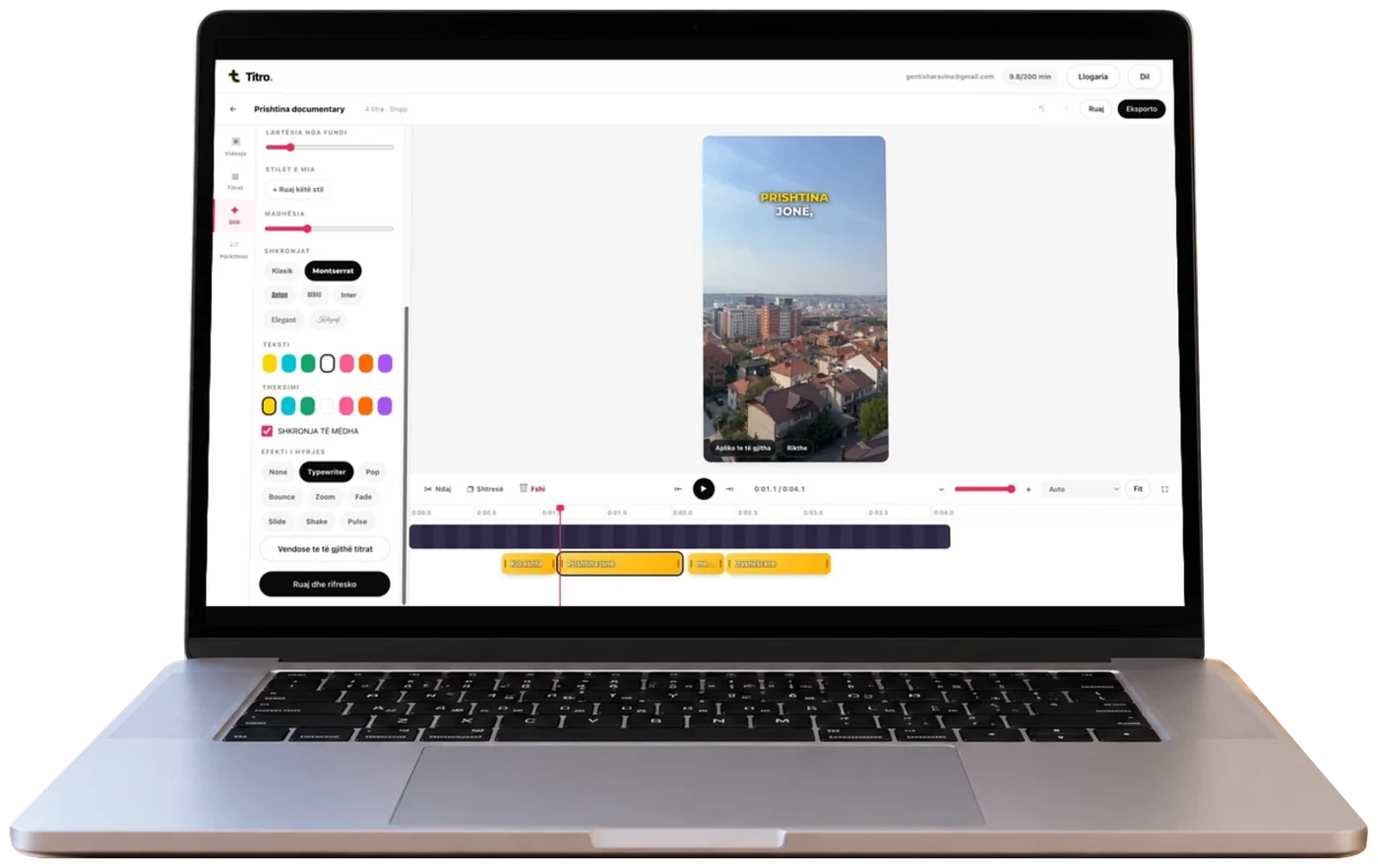
A long episode is not edited standing in a queue. In the browser you get a layered timeline, a large preview and a faster upload — the right place for an hour of conversation, with the same account as the phone.

04 A transcript you can use elsewhere

Download the .srt for YouTube, or use the text for show notes, a blog post or a newsletter. One upload, several outputs.

steps

How to subtitle a podcast episode.

01

Upload the episode

Video, up to 60 minutes on Creator and 180 on Studio. Choose audio cleanup and say whether more than one person speaks. The work runs on our servers.

02

Get the full subtitles

Every word with its own time, every speaker with their own name, ready to cut.

03

Cut silence and clips

One tap finds the long pauses and the “ums”, tells you how many seconds it saves, and cuts them. Then cut as many clips as you like for TikTok, Reels and Shorts from the same project.

04

Export

The video with subtitles inside, or the .srt to upload separately.

in practice

Podcast subtitles, in practice.

Why video podcasts need subtitles

A video podcast is watched in two places: on YouTube with the sound on, and in a feed with the sound off. The second is where new listeners come from, and there the clip has to read without audio. Subtitles are also what makes an episode searchable — the text is indexed, the audio is not. That text comes from the same engine as video-to-text transcription, and exports as an .srt with the speaker names inside; the broader case for the work is on why subtitles matter.

The clips are the real reason

Few people watch an hour of a podcast they haven’t heard of. Most discover it through a ninety-second clip. Once the episode is subtitled and timed, each clip takes minutes: choose the in and out points, drag the caption clear of the speaker’s face, export. Safe zones and styles for the clip’s destination are on TikTok, Reels and Shorts. Podcasters weighing a text-based editor instead should read the honest Titro–Descript comparison.

How many minutes an episode uses

Minutes are counted on the video’s length: a sixty-minute episode uses sixty minutes, and every clip cut from it is free. Translation counts double. On Studio there is no practical limit, so a weekly show with clips fits comfortably.

Preparing an episode for upload

Three decisions before the upload bar fills. Choose the podcast or broadcast audio profile, so Titro cleans and levels the conversation before it listens — it improves the transcript and makes the episode sound better in the same pass. Say how many people speak, so each voice is named and coloured from the start instead of being untangled later. And upload the full episode, not pre-cut clips: the clips come free from the same project, and the transcript stays one document instead of ten fragments. Do it in Titro Studio on a desk connection — the upload is faster and an hour of timeline wants the room.

The episode after the episode

A subtitled episode leaves artefacts worth keeping. The subtitle file doubles as the transcript: open it as text and the quotes are already timestamped for show notes, a newsletter or a blog post, which is also what makes the episode findable later — by you, and by search. The clips carry the discovery load in the feeds; the full video goes to YouTube with the caption file so viewers keep the choice and the text is indexed. One recording session, counted once in minutes, becomes the episode, the clips, the transcript and the notes — which is the honest economics of captioning a podcast at all.


questions

What you should know.

Does it tell speakers apart?

Yes. Choose “more than one voice” at upload and each speaker gets their own name and colour, in the video and in the .srt file.

Can I remove silence from the episode?

Yes, with one tap. Titro shows how many seconds you’d save, cuts the pauses and hesitations, and retimes the subtitles. Undo at any time.

The audio is noisy — does that help?

Titro cleans and levels the audio before it listens, and you can choose the broadcast or podcast profile at upload. Subtitles come out more accurate and the episode sounds better.

How long does an hour of video take?

Longer than a short clip, because there is more speech — but the work runs on our servers, and you can close the tab and come back.

Is there a plan for teams and media?

Yes — Studio, at €29 a month, with no practical limit on minutes, 180 minutes per video, and invoicing by agreement.

Can I subtitle old episodes?

Yes — upload the finished video as it is. Minutes are counted on length, so budget the back catalogue by the hour; most shows start with the episodes that still get downloads and work backwards.

Do clips inherit the episode’s style?

Yes — the style, the speaker names and the timing all carry from the episode project into every clip cut from it, which is what keeps a show’s clips recognisable across the feeds.

also

Subtitles for everywhere you post.

Subtitle your next episode.

Upload it in Titro Studio and cut the clips from the same project.

Titro Studio open on a laptop, with subtitles over a video