Home Compare VEED alternative

iOS + Android native apps — VEED's Android app is a waitlist

A VEED alternative for subtitles, on the phone too.

A VEED alternative is worth it when captions are the job and the browser editor is the overhead. VEED is a full online editor with subtitles among many features. Titro does subtitles, on the phone and on the web, from €4.99 a month.

From €4.99/month · 300 minutes of video · cancel any time
Or work on the web →

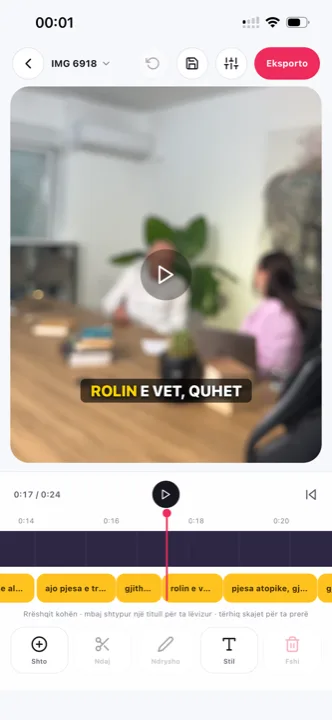
VEED alternative: word-timed subtitles in the Titro editor
in one paragraph

VEED and Titro, side by side.

VEED is a browser-based video editor with recording, screen capture, subtitles, translation, dubbing and stock media, from about $12 a month billed yearly. It supports more languages than Titro, including Albanian and German. Titro is a subtitle tool for iPhone, Android and web that times every word, exports at the original resolution without a watermark, and keeps pricing to minutes. Choose by workflow, not by feature count. Episode-length work in Titro is described on podcast subtitles; all nine tools sit in the roundup.

Where VEED genuinely wins is breadth: more languages, dubbing, stock media, screen capture — a whole production in one browser tab. Where that breadth costs you is the same place: the subtitle job rides inside an editor’s project model, editor pricing and reported fair-use terms. Titro’s entire surface is the subtitle flow, which is why the entry price is well under half and the quota is a published number rather than a policy.

the table

Titro vs VEED: what you actually get.

TitroVEED
Made forSubtitles on talking video, phone firstFull online video editing with subtitles, dubbing and stock media
Runs oniPhone, Android, web (one account)Web, iOS app; Android on a waitlist
Entry price€4.99/month for 300 minutes, or €49/yearLite about $12/month billed yearly or $19 monthly; Pro about $24/month yearly or $49 monthly (third-party confirmed; VEED's page is script-rendered)
Free tierFirst video free, up to 3 minutes, no card720p export with watermark, 10-minute files, limited auto-subtitle minutes
WatermarkNone on paid plansNone on Lite and above
Export qualityOriginal resolution kept, 4K stays 4K1080p on Lite, 4K on Pro
Caption languages3: English, German, Albanian (Gheg and Tosk), mixed sentences125+ marketed; the official table includes Albanian and German
TimingEvery word timed; highlight follows the spoken wordAnimated subtitle styles
TranslationBetween the three languages, one clickYes, using AI credits
Subtitle file (.srt)Yes, every plan, with speaker namesSubtitle file download available on paid plans (check current plan limits)
Usage limit300 minutes/month, up to 60 minutes per videoLite: videos up to 25 minutes; Pro: up to 120 minutes; fair-use limits on auto-subtitles reported
Beyond captionsSpeaker names, silence and filler cut, audio cleanup, teleprompterScreen recording, stock library, dubbing, templates, teleprompter
choose VEED when
  • You need a full editor in the browser: multitrack, stock media, screen recording.
  • You post in many languages beyond English, German and Albanian.
  • You dub videos into other languages, not just subtitle them.
choose Titro when
  • You caption on your phone and want the finished video back in the gallery.
  • You want a flat €4.99 for 300 minutes with no fair-use surprise.
  • You want subtitles timed to the word, with the highlight on the word being said.
  • You subtitle interviews and need speaker names in the video and the .srt.
in practice

Three situations where the difference shows.

01 Captioning from the camera roll

Shoot on the phone, caption on the phone, post from the phone. VEED's flow starts in a browser tab.

02 The long interview on a laptop

Titro Studio on the web takes a 60-minute file on Creator and 180 on Studio, names the speakers, and cuts silence with one tap.

03 The clean export for ads

Original resolution, untouched audio, no watermark: the file goes straight into Meta or TikTok Ads.

questions

What you should know.

Does VEED support Albanian?

Yes, VEED's official language table lists Albanian for both transcription and translation. The difference with Titro is dialect handling and mixed sentences, not the language list.

Is Titro cheaper than VEED?

Titro Creator is €4.99 a month for 300 minutes. VEED Lite is about $12 a month billed yearly or $19 monthly.

Can I edit in Titro like in VEED?

Titro trims, cuts silence and filler, and gives full control over every caption. It does not do multitrack editing, stock media or dubbing.

Does Titro run on Android?

Yes, natively, alongside the iPhone app and the web studio.

Is there a free trial?

Your first video is free up to three minutes, no card.

Can Titro replace VEED entirely?

Only if subtitles are what you used VEED for. Multitrack editing, dubbing, stock media and screen recording have no Titro equivalent — the table above is honest about that.

Which is better for Albanian subtitles?

Both list Albanian. VEED covers it as one of its 125+ marketed languages; Titro is built around it — Gheg, Tosk and sentences that mix Albanian with English or German. The detail is on Albanian subtitles.

Does Titro have fair-use limits like the ones reported for VEED?

No. The quota is the published number: 300 minutes a month on Creator, up to 60 minutes per video, 180 on Studio. When it runs out you know, because you can count it.

Can I move from VEED gradually?

Yes — the two don’t conflict. Keep VEED for the edits that need multitrack or stock media, and route plain talking clips through Titro; many teams find that is most of their month. Nothing needs migrating — the two tools share only the video file.

Is VEED’s free plan enough for regular posting?

Its free tier exports 720p with a watermark and caps files at ten minutes — fine for trying it, limiting for a feed. Titro’s free tier is one clean video up to three minutes; past that, both tools expect a subscription.

sources

Where these facts come from.

Vendor pricing and help pages first; a third-party source only where the vendor publishes no page. If something has changed, write to support@titroshqip.com and we will correct it.

also compared

Other tools people switch from.

Try it on your next video.

Upload it now and see it finished before your coffee’s done.

Titro on a phone, showing the home screen and subtitle tools