Home Teleprompter app

0 errors on names and terms — the subtitles are your script

A teleprompter app with the subtitles ready.

A teleprompter app solves half the problem: you say the right words. Titro solves the other half — the subtitles come out word for word from the script you just read, timed to your voice, with no transcription in between.

From €4.99/month · 300 minutes of video · cancel any time
Or work on the web →

Teleprompter app: recording with the script scrolling near the camera in Titro
why

Why a teleprompter app should also do the subtitles.

01 The subtitles are your script, word for word

Because the text is known before you speak, there is nothing to transcribe. Titro times each word of the script to your voice as you read it. Names, brands, product numbers and technical terms come out exactly as you typed them.

02 Script and lens in the same direction

The script scrolls in a panel at the top of the screen, right under the front camera, with a reading line so your eyes stay near the lens. Set the speed in words per minute, pause and resume, and stop automatically at the end.

03 The same editor afterwards

The take opens in the normal editor: pick a style, add an entrance effect, drag the caption, cut a pause. Everything a spoken video gets, a scripted one gets too.

04 Three languages, on both phones

Scripts in English, German or Albanian, on iPhone and on Android. If a viewer needs another language, translate the subtitles with one click.

steps

How the teleprompter works.

01

Write or paste the script

In the app, under Teleprompter. Any names and terms — they will come out exactly as written.

02

Record while reading

The text scrolls near the camera at the speed you choose. Pause and continue whenever you like; a countdown gives you time to settle.

03

Set your preferences

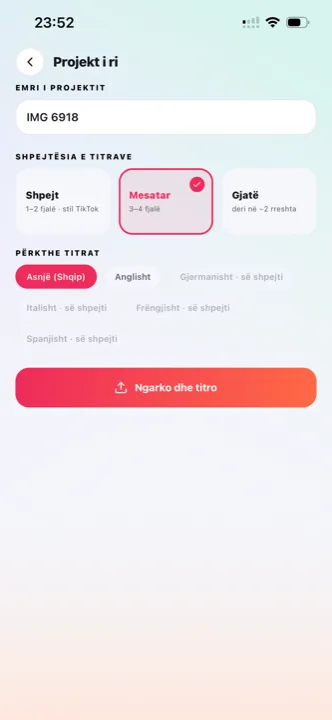
How many words show at once, which style, which effect — and the subtitles are timed to your voice, word for word.

04

Style and export

Adjust what you like in the editor and save the video ready for TikTok, Reels, Shorts or YouTube.

in practice

The teleprompter app, in practice.

When a teleprompter is worth it, and when it isn’t

Product explanations, announcements, ads, anything with numbers or names that must be exact: use the script. A reaction, a vlog, a conversation: talk freely and let the speech recognition do the work. Both kinds of take end in the same editor.

How long the script should be

A minute of speech is roughly 130 to 150 words at a natural pace. Short paragraphs are easier to read from a scrolling panel than one long block, and a line break where you want a pause helps the delivery.

Teleprompter takes and plan minutes

A scripted take uses minutes like any other video — by its length. Translation counts double. Retakes only count when you upload them.

Recording without a script

Half of what a creator posts is not scripted, and the teleprompter should not get in the way of that. Record in the app or upload from the gallery and the normal speech recognition writes the captions instead — the flow described on the caption app page and on auto captions. Both kinds of take land in the same editor with the same eight styles, so a channel that mixes scripted product videos with off-the-cuff clips keeps one consistent look.

From the take to the feed

A teleprompter take is usually a product explanation or an announcement, and it usually goes vertical. The safe zones and style choices for each feed are on TikTok captions, Reels captions and Shorts captions; if the video also goes to YouTube long-form, export the .srt from the same project. Agencies that script for clients save each client’s style once and pick it at upload — that workflow is on subtitles for agencies.

Writing a script that sounds spoken

Most teleprompter scripts fail on paper, not on camera: they are written like an email and read like one. Write the way you would say it — short sentences, one idea per sentence, contractions where you would use them. Read it aloud once before recording; anywhere you stumble, the viewer would have too. Put a line break where you want to breathe, because the scrolling panel treats your paragraphs as pacing. And resist the urge to slow the scroll to a crawl: a natural delivery sits around 130 to 150 words a minute, and a speed set well below your real pace makes your eyes wander ahead of the line, which the camera sees. The countdown before the take exists so you can settle your eyes on the reading line first — use it.


questions

What you should know.

Do I have to read the script exactly as written?

Close to it. The subtitles are the script, so if you improvise a sentence, that sentence won’t be in the subtitles — fix it in the editor afterwards, or record with the normal speech recognition instead.

Does it work on iPhone and Android?

Yes, on both, with the front camera.

Can I change the scrolling speed?

Yes — from slow to fast in words per minute, and you can pause and resume during the take.

Can I translate the subtitles of a teleprompter take?

Yes, with one click, between English, German and Albanian.

Does the teleprompter cost extra?

No. It is part of every plan; a take uses plan minutes by its length, like any other video.

Is Titro a free teleprompter app?

Installing is free and your first video is free up to three minutes, teleprompter included, with no card. After that, plans start at €4.99 a month for 300 minutes. If you only want a scrolling script with no subtitles, a free teleprompter app will do; Titro is for when the subtitles are the point.

Can I use the teleprompter for horizontal video?

Yes. The script panel sits near the lens either way, and the recording keeps whatever orientation you shoot — vertical for the feeds, horizontal for YouTube or a presentation.

What if I misread a line?

Pause, scroll back, resume — only the take you upload uses minutes. Small slips are usually faster to fix afterwards in the editor, where the subtitles are already your script.

also

Subtitles for everywhere you post.

Try it on your next video.

Upload it now and see it finished before your coffee’s done.

Titro on a phone, showing the home screen and subtitle tools