TitroGuides
Get more out of Titro.
Short, step-by-step guides for every feature, on the phone and in Titro Studio. Each one names the buttons exactly as you see them in the app.
13 guides
Real renders from the Titro engine.
Start here
From the first upload to the finished file.
Your first captioned video
Upload a video and get word-timed captions: the full flow on iPhone, Android and in Titro Studio, plus the settings worth choosing first.
Export the video and the .srt
Save the captioned video in original quality, 1080p or 720p, share it to TikTok or Instagram, and download the .srt file for YouTube.
Turn audio into text and .srt
Upload an MP3, M4A or WAV recording and get timed text and an .srt file: interviews, podcasts, voice memos. In the app and in Titro Studio.
Make it look right
Fix words, style the captions, add movement.
Fix words, timing and layout
Correct a word, move a caption in time, split long lines, add free text and images: editing captions in the Titro app and in Titro Studio.
Caption styles, fonts and colours
Pick one of 15 caption styles, change font, size and highlight colour, place the captions and save your own look for every new video.
Entrance effects and text behind you
Give captions an entrance: Typewriter, Pop, Bounce, Zoom, Fade, Slide, Emerge, Shake or Pulse. Plus how to put text behind the person in the shot.
Languages and people
Translate, name speakers, teach Titro your words.
Translate your captions
Speak in one language, show captions in another: Albanian, English, German, Italian, French and Turkish, in any direction. At upload or later.
Name speakers and give them colours
Interviews and podcasts: let Titro tell the voices apart, give each speaker a name and a colour, and style one speaker differently.
Teach Titro your words
Your name, your brand, your town: add them to My words, or let Titro learn the corrections you repeat, so automatic captions spell them right.
Sound, voice and recording
Record from a script, clean the audio, cut the pauses, use AI voice.
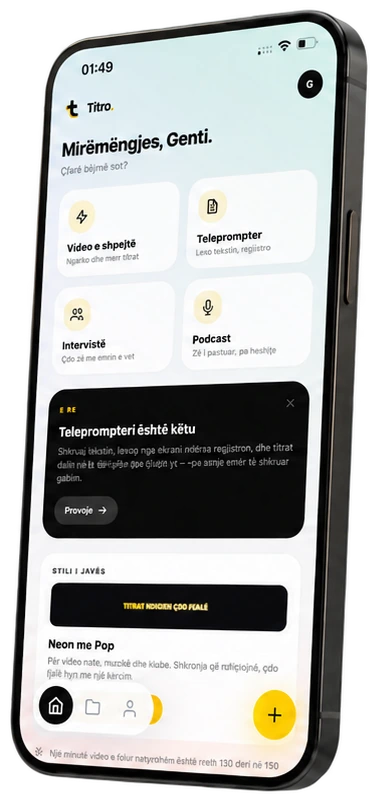
Record with the teleprompter
Read your script on the phone while you film, set the reading speed, and get captions of what you said, spelled the way your script spells it.
Clean up the audio
Reduce wind, traffic and hum while Titro captions your video, and set the loudness for social media, podcasts or broadcast.
Remove pauses and filler words
Cut the long pauses out of a video in one tap, drop the ums from the captions, and check your speaking pace with the speech report.
AI voice: from text to speech
Type a script, pick a voice and download a natural voiceover as MP3 or WAV, with a timed .srt. English, German, Italian, French and Albanian (beta).