TitroGuidesRecord with the teleprompter
Sound, voice and recordingRecord with the teleprompter.
Read your script on the screen while the phone films you. Titro then captions what you actually said and uses the script to spell names and terms correctly.
Where to find it
- 1Teleprompter
- 2Continue
- 3Transcribe
This feature is in the iPhone and Android app.
Step by step
This feature is in the iPhone and Android app.
Open the teleprompter
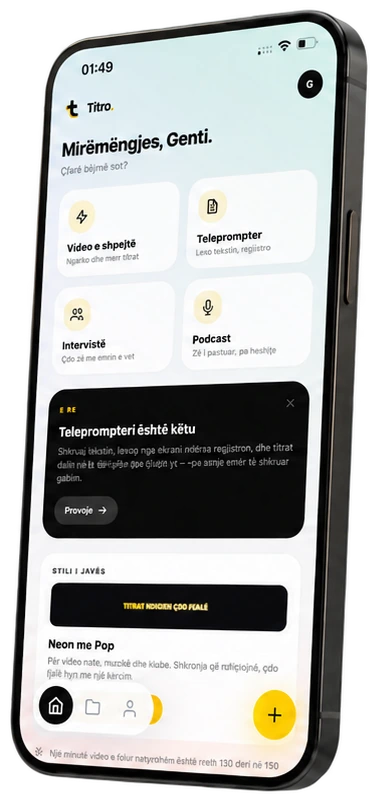
On Home tap Teleprompter. The camera opens; tap the teleprompter button to add your script.
Paste the script
Choose Script language, paste or type the script and tap Continue.
Set the speed
Use − and + to set the reading speed in words per minute. 140 is a natural pace to start from.
Record
Start recording. After a 3-2-1 countdown the text scrolls. Pause it any time, and switch cameras if you need to.
Caption the take
Watch the take back, then tap Transcribe to caption it, or record it again.
Get more out of it
Read slower than you think
Most people start too fast. Lower the speed one step, then raise it once the take feels easy.
Check what you skipped
The Speech report of a teleprompter take shows how close you stayed to the script and which words you skipped.
Keep the script, drop the scroll
Recording without the teleprompter keeps your saved script for the captions' spelling.
Good to know
- Scripts up to 12,000 characters.
- A take can be as long as your plan allows per video.
- Teleprompter takes are captioned in the script's language: translation and speaker options don't apply to them.
Keep going
Remove pauses and filler words
Cut the long pauses out of a video in one tap, drop the ums from the captions, and check your speaking pace with the speech report.
Teach Titro your words
Your name, your brand, your town: add them to My words, or let Titro learn the corrections you repeat, so automatic captions spell them right.
AI voice: from text to speech
Type a script, pick a voice and download a natural voiceover as MP3 or WAV, with a timed .srt. English, German, Italian, French and Albanian (beta).