20 seconds from upload to a finished video
Upload your video. Titro listens, writes the subtitles with exact timing for every word, and burns them onto the video. Albanian, English and German — even when a sentence switches language midway.
From €4.99/month
Or work on the web →
Manual captioning takes longer than making the video. This is the same work, done differently.
You pay for minutes, not per video. A one-minute video costs one minute — no credits, no tables, no math.
Yearly billing gets you two months free. Plan minutes reset at the start of each month — unused minutes don't roll over.
Three steps, and none of them involves typing a single word.
Pick a video from your gallery or your computer. Choose how many words show at once, whether you want translation, whether the audio needs cleanup, and whether more than one person speaks.
Titro listens to the video and writes the subtitles with exact timing for every word. The work happens on our servers, not on your phone.
Pick a style, tweak whatever you like, and export a video that's ready to post.
One account. Start on your phone and continue on your computer, or the other way round.

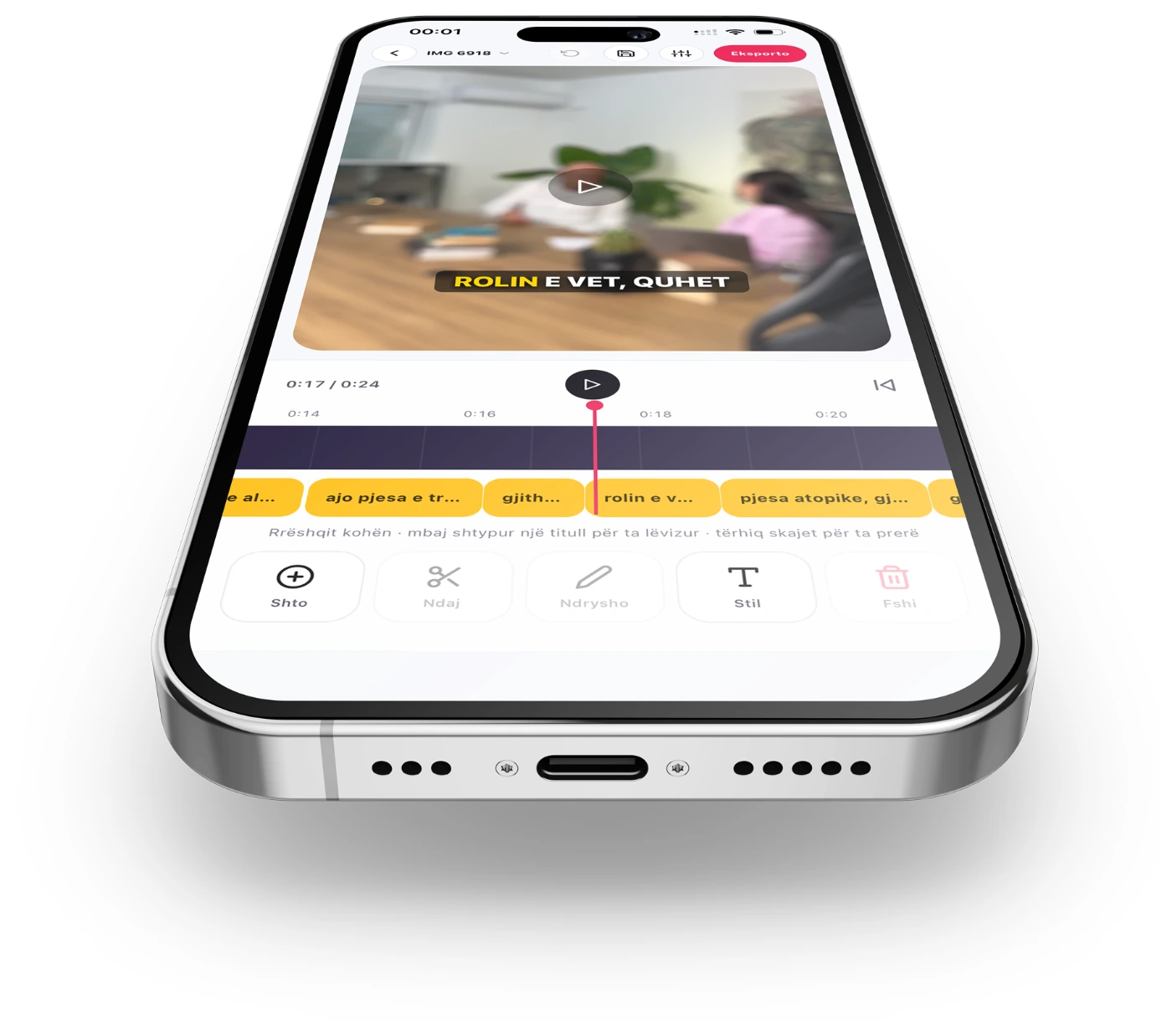
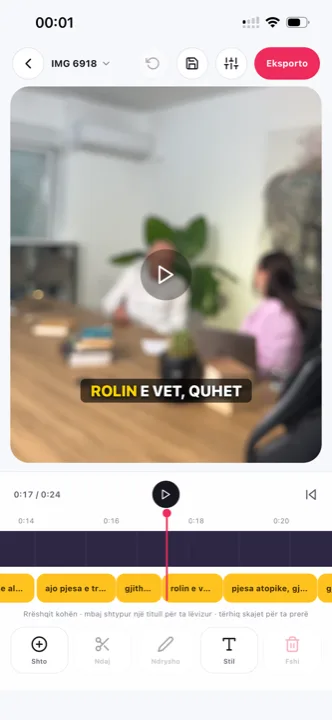
Upload from your gallery, edit by touch and save the video straight to your phone. Ready for TikTok, Reels and Shorts.

The same app, the same account, the same projects. Works on any modern phone.

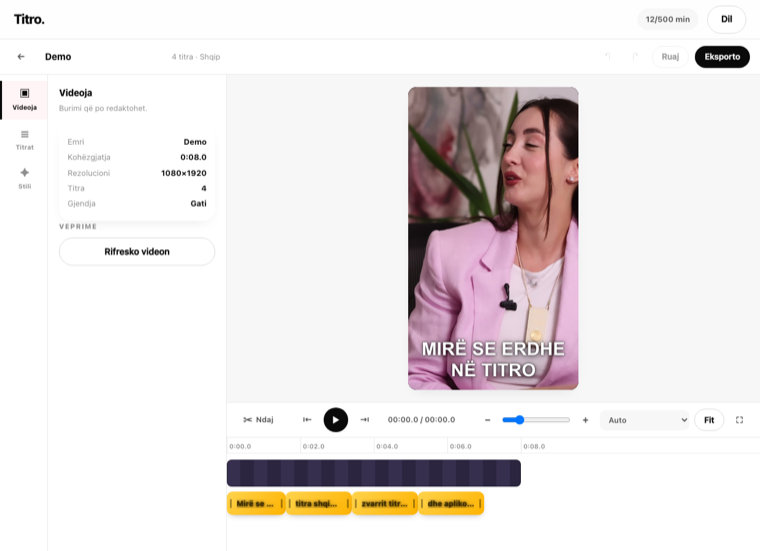
The full editor on the web at app.titroshqip.com. A layered timeline, a big screen and faster uploads — the right place for podcasts, interviews and long videos.
Most tools treat Albanian as one language and train mostly on Tosk. Titro understands Gheg and Tosk — even when the sentence switches into English halfway through.
Click, drag, split and fix any caption. What you see in the editor is exactly what comes out in the video, because the export reads the same layers you touch.
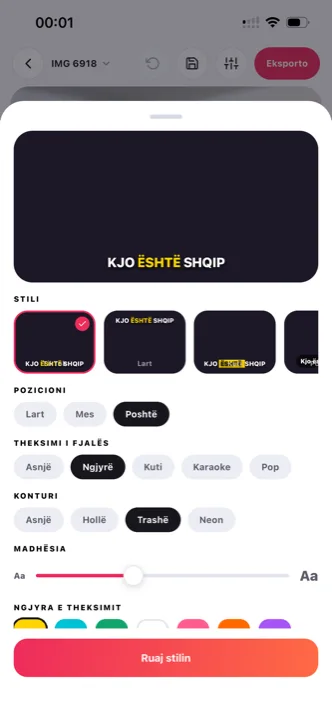
TikTok, Box, Karaoke, Podcast, Neon, Top, Pop and Minimal. Each style changes the colour, size, position and the way the spoken word is highlighted.
Subtitles translate between Albanian, English and German with one click — reach the audience that doesn't speak the video's language. Translated minutes count double.
4K stays 4K. The original resolution is preserved and the audio is untouched — only the subtitles are added.
The model timestamps every word, not just the sentence. That's why subtitles land on the word being spoken, not a beat behind it.
Every word you fix in the editor makes our language model better. And with the personal dictionary, names and terms you keep correcting are remembered for your next video — private to your account, and only if you turn it on.
Eight ways a caption can enter the frame: Typewriter, Pop, Bounce, Zoom, Fade, Slide, Shake and Pulse. For a single caption or all of them at once, on the web too.
Write your script, the phone scrolls it in front of your eyes while you record, and the subtitles come out word for word from your script — timed to your voice, with zero transcription errors on names and terms.
Background noise, wind, an echoey room: Titro cleans the audio before it listens, and levels it for social media, podcast or broadcast. Subtitles come out more accurate and the video sounds better.
One tap finds long pauses and hesitations, tells you how many seconds you'd save, and cuts them. Subtitles retime themselves. Change your mind and the video comes back as it was.
In interviews and podcasts every voice gets its own name and colour, and no caption mixes two voices. The look you build — font, colours, position, effect — saves under a name and gets picked at upload, per client or per channel.

These aren't illustrations — they're real renders from the engine that burns the subtitles into your video. Click a name to see it.


Five fonts — Montserrat, Anton, Bebas, Inter and Classic — seven highlight colours, eight entrance effects, and every caption can be dragged anywhere in the frame. Save the look you like under "My styles" and pick it at upload. What you see in the editor is what comes out in the video.
It depends on how clearly the voice comes through. On a video with clean audio, most of the text comes out ready; the odd word takes a few seconds to fix in the editor. Every correction you make improves our language model.
Yes. The way people actually speak — an English word dropped into an Albanian sentence — is exactly what Titro was built for.
Around twenty seconds for a short video. Long videos — podcasts, interviews — take longer because there's more speech to listen to, but the work happens on our servers, so your phone stays free.
Minutes reset at the start of the next month. If you need more before then, move up a plan. The projects you've made stay where they are.
On our servers, only as long as the work needs. The video stays while the subtitles are being burned in, then is deleted automatically after 14 days. You can delete it yourself earlier at any time, and deleting your account removes everything. Details in the privacy policy.
Yes. When you upload an interview or podcast, choose "more than one voice" and each speaker gets their own name and colour. No caption mixes two voices, and the names come through in the .srt file too.
Yes, with one tap in the editor. Titro shows how many seconds you'd save before it cuts anything, trims the pauses and hesitations, and retimes the subtitles. Undo whenever you like.
You write your script in the app, the phone scrolls it in front of the camera while you record, and the subtitles come out word for word from your text, timed to your voice. There's no transcription, so names and technical terms always come out right. On iPhone and Android.
iPhone, Android and the web from your computer. It's one account. For long videos — podcasts, interviews — use Titro Studio at app.titroshqip.com.
Yes, any time, yourself from your account on the web. You keep using it until the end of the period you've paid for. If you delete a video before processing finishes, the minutes come back.
Upload it now and see it finished before your coffee's done.