Home YouTube subtitle generator

.srt + burned in one project for Shorts and long-form

A YouTube subtitle generator for Shorts and long videos.

A YouTube subtitle generator has two jobs, because YouTube has two kinds of video. Shorts need the subtitles in the picture; long videos are better served by a subtitle file that viewers can switch on and off. Titro makes both from one upload.

From €4.99/month
Or work on the web →

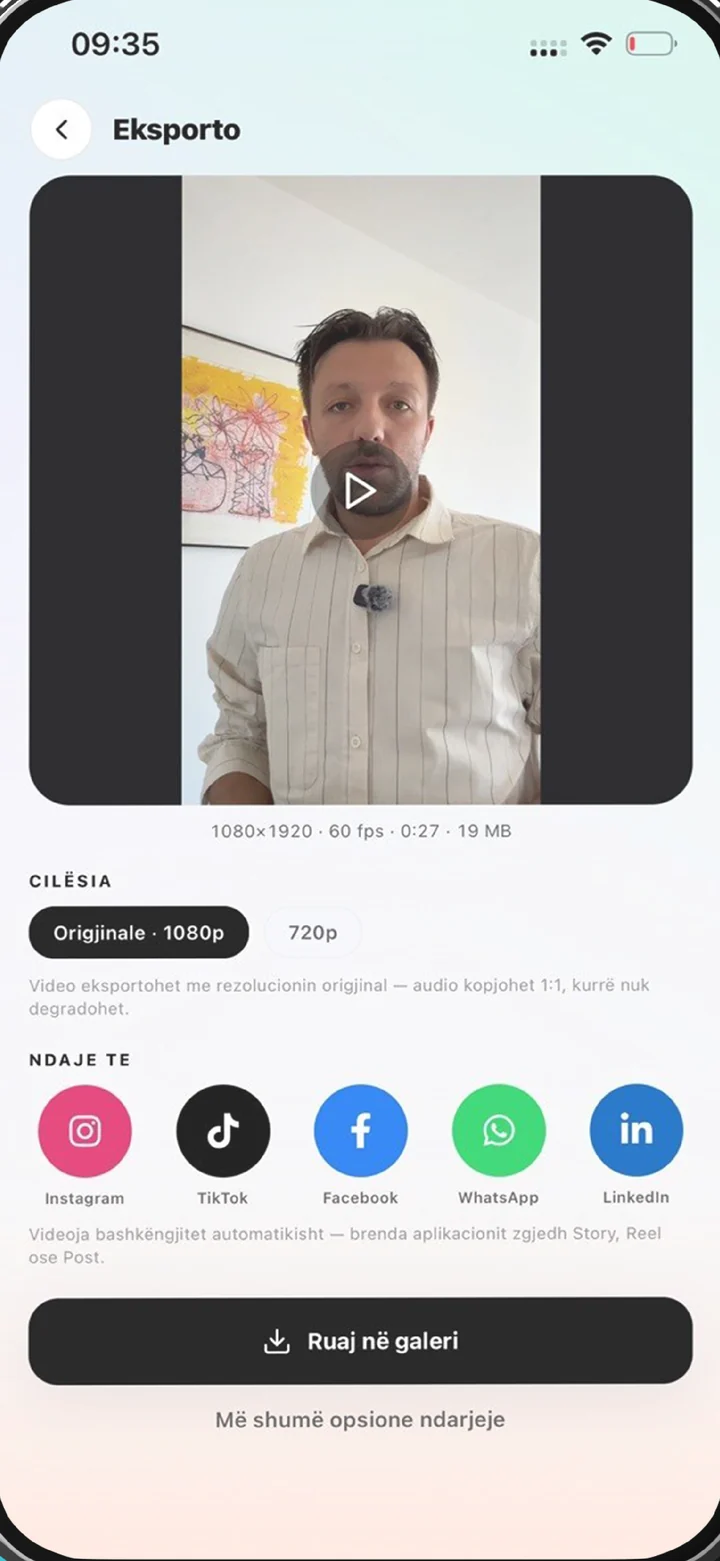
YouTube subtitle generator export in Titro: original quality, subtitles ready for upload
why

Why use a YouTube subtitle generator when YouTube makes captions.

01 Two outputs for two formats

For a Short, Titro burns the subtitles into the frame, styled and placed clear of the Shorts buttons. For a long upload, Titro Studio downloads an .srt file you add in YouTube Studio as a subtitle track. Same transcript, same timing, no work done twice.

02 YouTube’s automatic captions are a draft

YouTube generates captions for many uploads, and they are a useful start. They also stumble on names and terms, depend heavily on audio quality, and you can’t choose how they look. Uploading your own track means the text viewers read is text you checked.

03 Timed to the word

Titro timestamps every spoken word, so each cue in the .srt starts and ends where the speech does, and a line you split in the editor keeps its timing. No nudging cues by hand in YouTube’s editor afterwards.

04 A second language for a second audience

Translate the subtitles between English, German and Albanian with one click and download a second .srt. YouTube lets one video carry several subtitle languages, and viewers pick the one they want.

steps

How to add subtitles to a YouTube video with Titro.

01

Upload the video to Titro Studio

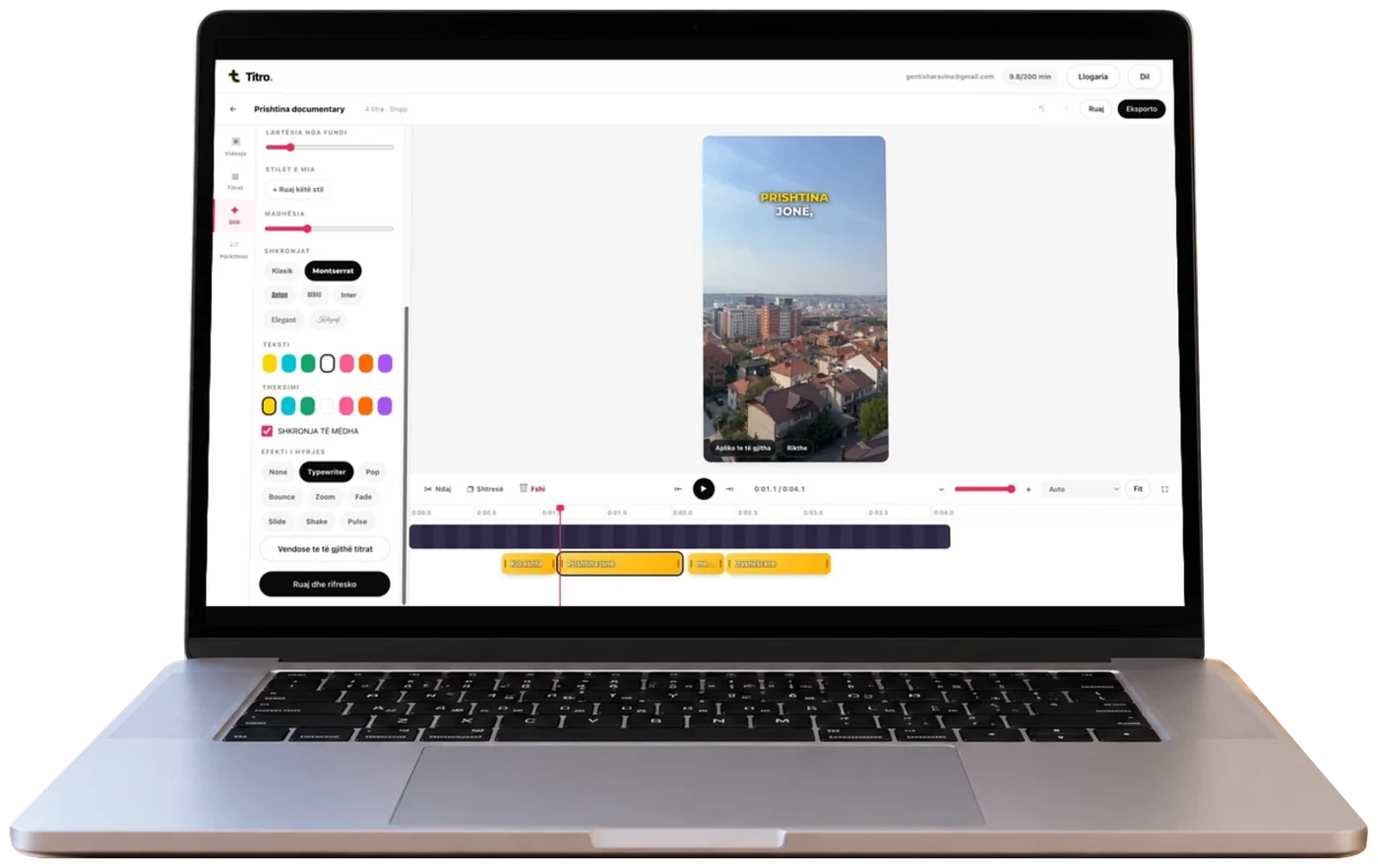
Open app.titro.live on your computer and drag in the video — up to 60 minutes on Creator, 180 on Studio. Say if more than one person speaks, and turn on audio cleanup for noisy recordings.

02

Let Titro listen

A short video takes about twenty seconds; a long one takes longer. The work runs on Titro’s servers, so you can close the tab and come back.

03

Check names and speakers

Read the subtitles through, fix names and terms with a tap, and rename the speakers — the names go into the .srt.

04

Download, then upload to YouTube

For a long-form video, download the .srt and add it in YouTube Studio. For a Short, export the video with the subtitles burned in and upload it as usual.

in practice

YouTube subtitles, in practice.

Adding the .srt in YouTube Studio

Open the video in YouTube Studio, go to Subtitles, choose the language, and upload the file with timing included. YouTube shows the cues for a last read, then publishes them as a subtitle track viewers can turn on. This works on videos that are already live, so a back catalogue can be subtitled without re-uploading anything. For a second language, upload a second file to the same video. The format itself — cue lengths, reading speed, speaker names, opening the file as text — is on the SRT file generator page.

Shorts need the text in the picture

In the Shorts feed, YouTube’s own captions are small and many viewers never turn them on, so burned-in subtitles do the work. Style them, keep them in the lower-middle band clear of the buttons on the right and the title along the bottom, and don’t also upload an .srt to the same Short — a viewer who turns captions on would see two layers. The placement detail is on YouTube Shorts captions, and the same export reposts to TikTok and Reels unchanged.

Long videos, interviews and episodes

Long-form YouTube is often a conversation. Choose “more than one voice” at upload and every speaker gets a name in the .srt, so viewers reading along know who said what. One tap cuts long pauses and filler words if you want a tighter edit, and the subtitles are retimed to match. Cut Shorts from the same project and they arrive already subtitled. The detailed workflows are on subtitling long videos, podcast subtitles and subtitles for interviews.

What Titro doesn’t do on YouTube

Titro doesn’t connect to your channel. It doesn’t publish videos, post Shorts or upload subtitle files for you — you download the .srt or the subtitled video and add it in YouTube Studio yourself. That is one extra step, and it keeps Titro away from your channel’s permissions. Titro also captions English, German and Albanian only; a channel in another language needs a different tool.

Subtitles in another language on YouTube

A channel with viewers on both sides of a language line can serve both from one video: translate the checked subtitles with one click, download the second .srt, and add it to the same upload. Translated minutes count double, so a ten-minute video with a translation uses twenty minutes of the plan. Who this suits, and where machine translation needs a human read, is on the video subtitle translator page.


questions

What you should know.

How do I add subtitles to a YouTube video?

Upload the video to Titro Studio, check the subtitles, download the .srt, then in YouTube Studio open the video, go to Subtitles and upload the file. For a Short, export the video with the subtitles burned in instead.

Does Titro upload subtitles to YouTube for me?

No. Titro doesn’t connect to YouTube. You download the .srt or the subtitled video and add it in YouTube Studio yourself.

Can I add subtitles to a YouTube video that’s already published?

Yes. YouTube accepts an .srt on a live video, so you upload the original to Titro, download the file and add it — no re-upload of the video needed.

Where do I download the .srt?

In Titro Studio on the web, from the project’s export. The file includes speaker names when more than one person speaks.

Can I make subtitles in more than one language?

Yes, between English, German and Albanian. Translate with one click and download a second .srt; translated minutes count double.

How long can the video be?

Up to 60 minutes on Creator and 180 minutes on Studio.

Is the YouTube subtitle generator free?

Your first video is free up to three minutes, with no card; it carries a small Titro mark. Plans start at €4.99 a month for 300 minutes.

also

Subtitles for everywhere you post.

Subtitle your next YouTube video.

Upload it in Titro Studio and download the .srt from the same project.

Titro Studio open on a laptop, with subtitles over a video