Home Teleprompter app for iPhone

Front camera the script scrolls next to the lens

Teleprompter app iPhone: read it, then caption it.

A teleprompter app iPhone creators keep using does one thing well: it puts the words where the eyes already are. Titro scrolls your script near the front camera lens while you record, then captions the take — and the captions follow what you actually said, with the script making sure names and terms come out spelled the way you wrote them.

From €4.99/month
Or work on the web →

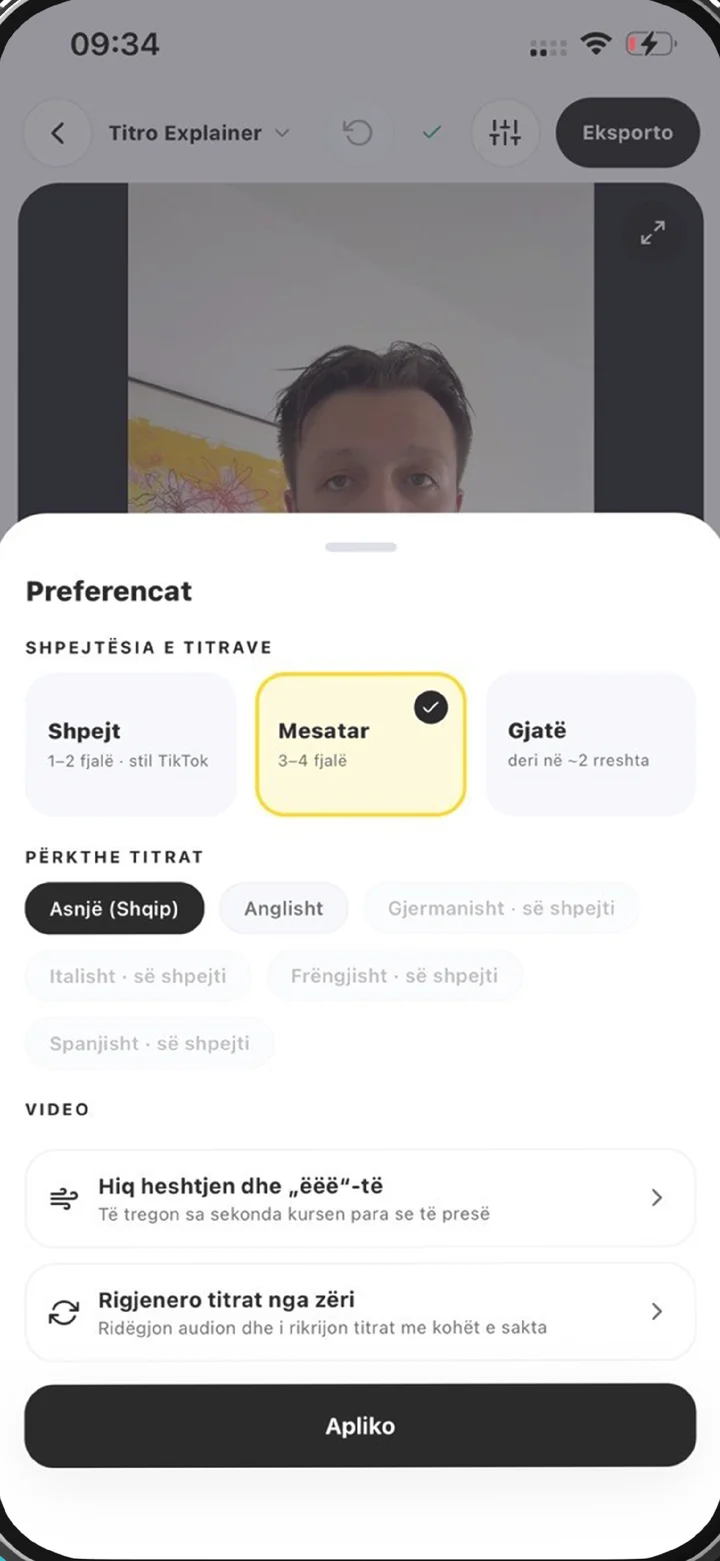
Teleprompter app iPhone workflow in Titro: preferences for a recorded take before captioning
why

What a teleprompter app on iPhone should do for you.

01 The script sits by the lens

On an iPhone the front camera is at the top of the screen, and that is where Titro scrolls the script. Your eyes stay close to the lens while you read, so on camera you look at the viewer rather than at a point below them. The scroll speed is yours to set.

02 Captions that follow your voice

After the take, Titro listens to the recording and captions what you said. The script helps with spelling: a name, a brand or a technical term you spoke comes out exactly as you typed it. A line you skipped doesn’t appear in the captions, and an aside you added stays in. The captions are a record of the take, not a copy of the script.

03 The full editor afterwards

The take opens in the same editor as any other video: presets, fonts, highlight colours, entrance effects, captions you can drag anywhere, and a one-tap cut for long pauses and filler words. A scripted video gets everything an unscripted one does.

04 iPhone first, not iPhone only

The same teleprompter is in the Android app, and the same account opens in the browser as Titro Studio. Write the script at your desk, record on the phone, finish the edit wherever suits.

steps

Teleprompter app iPhone: how a take works.

01

Write or paste the script

Open the teleprompter in the Titro app on your iPhone and type or paste the text. Spell names and terms the way you want them to appear in the captions.

02

Set the speed and frame the shot

Choose a scroll speed a touch slower than your natural pace, prop the phone at eye level, and check the light falls on your face rather than behind you.

03

Record while you read

The script scrolls near the lens as you record with the front camera. Read it, or depart from it — whatever you say is what the captions will follow.

04

Check, style and export

Read the captions through, pick a style, cut the pauses if you like, and save the video to your photo library at its original resolution.

in practice

Reading from a phone prompter, in practice.

If all you need is a prompter

Not every reading needs captions. If you want a script scrolling on your iPhone for a video call, a speech or a camera you are recording with separately, the free online teleprompter runs in Safari with no sign-up and nothing to install. Paste the text, set the pace, press start. Nothing is uploaded — the text stays in your browser — and it doesn’t record or caption anything. When you want the recording and the captions handled too, that is what the app is for; the overview of how it fits together is on the teleprompter app page.

How the script and the captions work together

Picture a script that says “Our new store opens in Prishtina on Friday.” You read it as written: the captions show that sentence, with Prishtina spelled exactly as you typed it. You say “opens this Friday” instead: the captions say “this Friday”, because that is what you said. You skip the sentence entirely: it doesn’t appear. You add “honestly, we can’t wait”: it stays. The script is a spelling guide for words you really spoke, which is why names and product terms come out right, and why the captions never claim you said something you didn’t. If you stumble on a word, tap it in the editor and fix it like any other caption.

Reading without looking like you’re reading

The tell of a teleprompter is eyes moving across a line, so keep lines short and the phone far enough away that your eyes barely travel. Set the speed just under the pace you speak at; chasing a scroll that is too fast makes you rush, and waiting on one that is too slow makes you stall. Read the script aloud once before the first take and rewrite any sentence you trip on. The longer version of this — eye line, pacing, what to do when you lose your place — is in the guide on how to read a teleprompter, and if you would rather not read at all, how to memorise a script covers the alternative.

What a take costs in minutes

Installing the app is free, and your first video is free up to three minutes; it carries a small Titro mark, which paid plans don’t. On a plan, a take uses minutes by its length, exactly like an uploaded video: a ninety-second take is ninety seconds of your 300 monthly minutes on Creator. Translation, if you want the take in a second language, counts double.

Where the take goes next

Most scripted takes are product explanations, announcements and ads, and most go vertical. The safe zones for each feed are on TikTok captions, Instagram Reels captions and YouTube Shorts captions. Takes you record without a script go through the same app with ordinary speech recognition, described on the caption app page — so a channel that mixes scripted and spontaneous videos keeps one look.


questions

What you should know.

Is Titro a teleprompter app for iPhone?

Yes. The teleprompter is built into the Titro app on iPhone: the script scrolls near the front camera while you record, and the take is captioned afterwards. It is also in the Android app.

Do the captions come straight from my script?

No. The captions always follow what you actually said. The script only fixes the spelling of words you spoke, such as names and brands; lines you skip don’t appear and ad-libs stay.

Is there a free teleprompter I can use on my iPhone?

Yes — the free online teleprompter runs in Safari, with no sign-up and nothing uploaded. It scrolls the script but doesn’t record or caption.

Can I change the scroll speed?

Yes. Set a speed before the take that sits just under your natural pace; you’ll find the right setting after a take or two.

Which languages work with the teleprompter?

Captions work in English, German and Albanian, including sentences that mix them, so scripts in those languages get the full benefit.

Does the teleprompter cost extra?

No. It is part of the app; a take uses plan minutes by its length, like any other video. The first video is free up to three minutes, with a small Titro mark.

Can I translate the captions of a teleprompter take?

Yes, with one click, between English, German and Albanian. Translated minutes count double.

also

Subtitles for everywhere you post.

Try it on your next video.

Upload it now and see it finished before your coffee’s done.

Titro on a phone, showing the home screen and subtitle tools