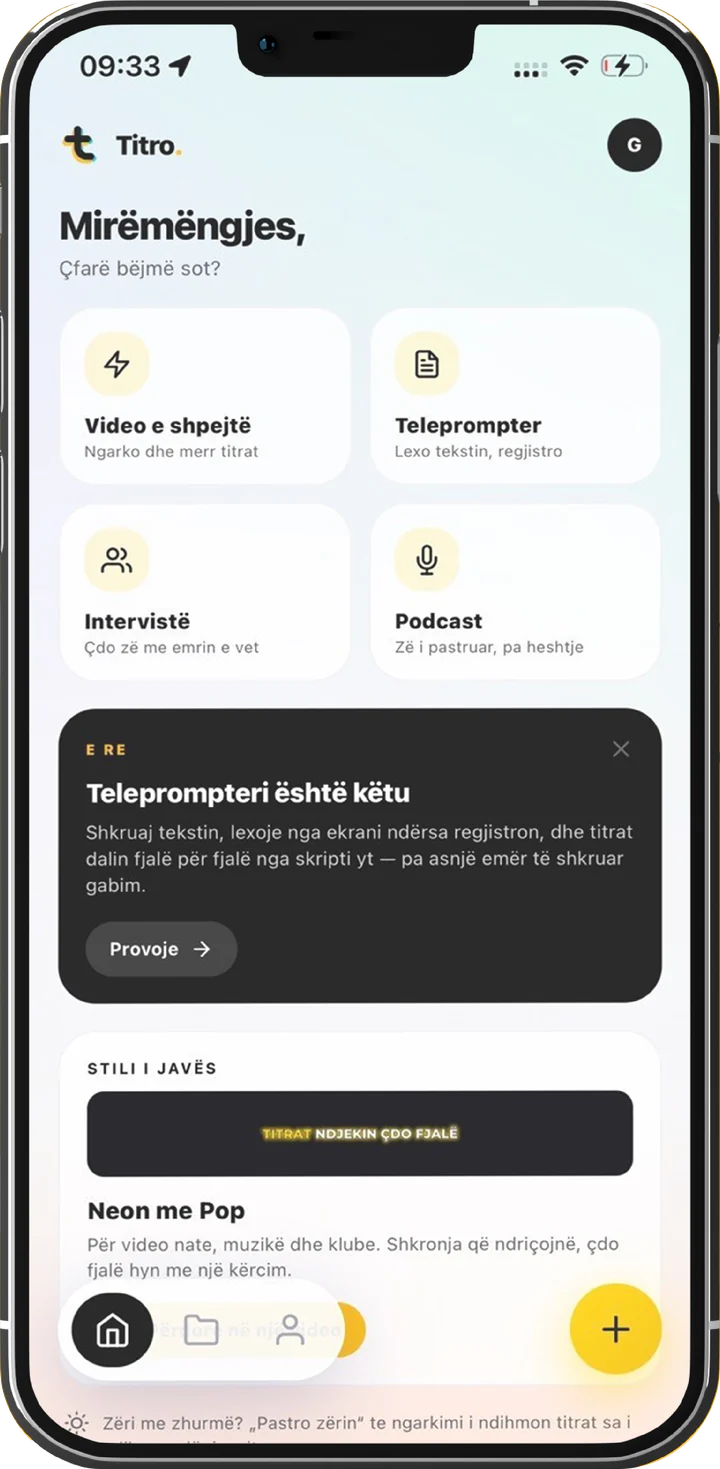
A teleprompter solves the worst part of recording yourself: the take that dies because you forgot the next sentence. Then it hands you a new problem. Read a script the way you read a document out loud and everyone can hear it. The voice flattens, the pauses disappear, and the eyes make little sweeps that the camera picks up.
News anchors sound natural off a prompter because they practised the mechanics. None of the mechanics are hard. Here they are, in the order they matter.
Write a script you can say
Most robotic takes were written robotic. Text written for the eye runs long and uses words nobody says across a table. Before you blame your delivery, read the script once out loud and rewrite every spot where you stumbled. Short sentences. Contractions. The words you actually use.
A useful test: if a sentence needs a breath in the middle, it’s two sentences.
Set the speed to your voice, not your nerves
Conversational speech sits around 140 to 160 words per minute. Nerves push faster, and a prompter that scrolls fast drags you with it, which is how takes end up breathless. Titro’s teleprompter scrolls anywhere from 60 to 260 words per minute, and you can change the speed or pause while recording. Set it a notch slower than feels right and let the scroll follow you.
| Words per minute | How it sounds |
|---|---|
| 120 | Calm and deliberate. Tutorials, serious topics. |
| 140–160 | Normal conversation. The default for talking to a camera. |
| 180 | Energetic. Works in short bursts, tiring after a minute. |
| 200+ | Auctioneer territory. Comedy only. |
Put the script where your eyes already are
The giveaway in a bad prompter video is the eyes tracking left to right somewhere below the lens. Distance fixes most of it: hold the phone at eye height and at arm’s length or further, and the sweep of your eyes across a narrow column of text becomes too small to see. Titro scrolls the script in a panel near the lens with a reading line, so your gaze stays where the viewer thinks it is. On them.
Sound like a person
- Pause on purpose. End a thought, let it sit, keep going. If the scroll runs ahead, pause it; that’s what the button is for.
- Hit the verbs. Reading flattens emphasis, so put it back on the words that carry each sentence.
- Smile before the countdown ends. The first sentence lands warmer, and you can hear a smile even when the shot is from the chest up.
- Treat the first take as a warm-up. The second is nearly always the keeper, because by then half the script lives in your head.
When you misread a line
Pause, scroll back, resume. Only the take you upload uses plan minutes. And a small slip is often faster to leave in and fix afterwards in the editor, where the subtitles already match your script.
Do it in Titro
- 1
Write the script
On the recording screen, in Albanian, English or German. Write it spoken: read it aloud once and fix whatever trips you.
- 2
Set the pace
Pick a speed in words per minute, from 60 to 260. Start slower than feels natural; you can adjust and pause mid-take.
- 3
Record
A countdown, then the script scrolls in a panel near the front camera with a reading line. Vertical or horizontal. Recording stops by itself at the end of the script.
- 4
Export with the subtitles already right
The subtitles come word for word from your script, timed to your voice. There’s no transcription, so names and technical terms are spelled exactly as you wrote them. Pick a style and export.
The prompter removes the forgetting, the mechanics above remove the reading voice, and the subtitles fall out of the same take. Try it on your next scripted video. The first one is free.

