There are two ways to put words on a short video. You can let the platform do it: TikTok, Instagram and YouTube all generate captions automatically, and viewers can switch them on or off. Or you can burn the subtitles into the picture, so they become part of the video file itself. People call these open captions, hard subtitles or burned-in subtitles. They all mean the same thing: the text is pixels, like everything else in the frame.
If you only ever post on one platform, its own captions can be enough. Most creators don’t. The same clip goes to TikTok, then Reels, then Shorts, and maybe a Facebook page and a WhatsApp group after that. That is where the two approaches stop being equal.
Platform captions stay on the platform
Auto-captions are stored next to the video as a separate text track, and the app draws them on top while someone watches. When you save your video to post it somewhere else, that track stays behind, along with any time you spent correcting it. Every platform makes you start again, and every platform transcribes your audio its own way, so the same sentence can come out three different ways in three apps.
They also look the way the platform decides. You don’t choose the font, the size or where the text sits, and the viewer can hide it.
Burned-in subtitles go wherever the video goes
A burned-in subtitle is part of the picture, so it survives every download, repost and forward. You fix a word once and it’s fixed everywhere. The look is yours as well: a yellow highlight on the word being spoken, a box behind the text, a font that matches your brand. And everyone sees them, including the people scrolling with the sound off.
Where each one makes sense
| Platform auto-captions | Burned-in subtitles | |
|---|---|---|
| Comes along when you repost the video | No | Yes |
| You choose the font, colour and position | No | Yes |
| Fix a mistake once for every platform | No | Yes |
| Visible even when captions are switched off | No | Yes |
| The viewer can turn them off | Yes | No |
| Readable by search engines and screen readers | Yes | Only with a subtitle file next to it |
The last row is the honest trade-off. Burned-in text is pixels, so a screen reader can’t read it aloud and a search engine can’t index it. The fix is to keep a subtitle file as well. Titro Studio on the web lets you download the .srt file next to the video, and YouTube takes it as closed captions. One upload gives you both.
Mind the app’s own buttons
Platform captions get one thing right for free: they never sit under the like button. When you burn subtitles in, you have to think about where each app draws its interface. TikTok and Reels put buttons down the right edge and your post text along the bottom, so subtitles placed too low end up underneath them.
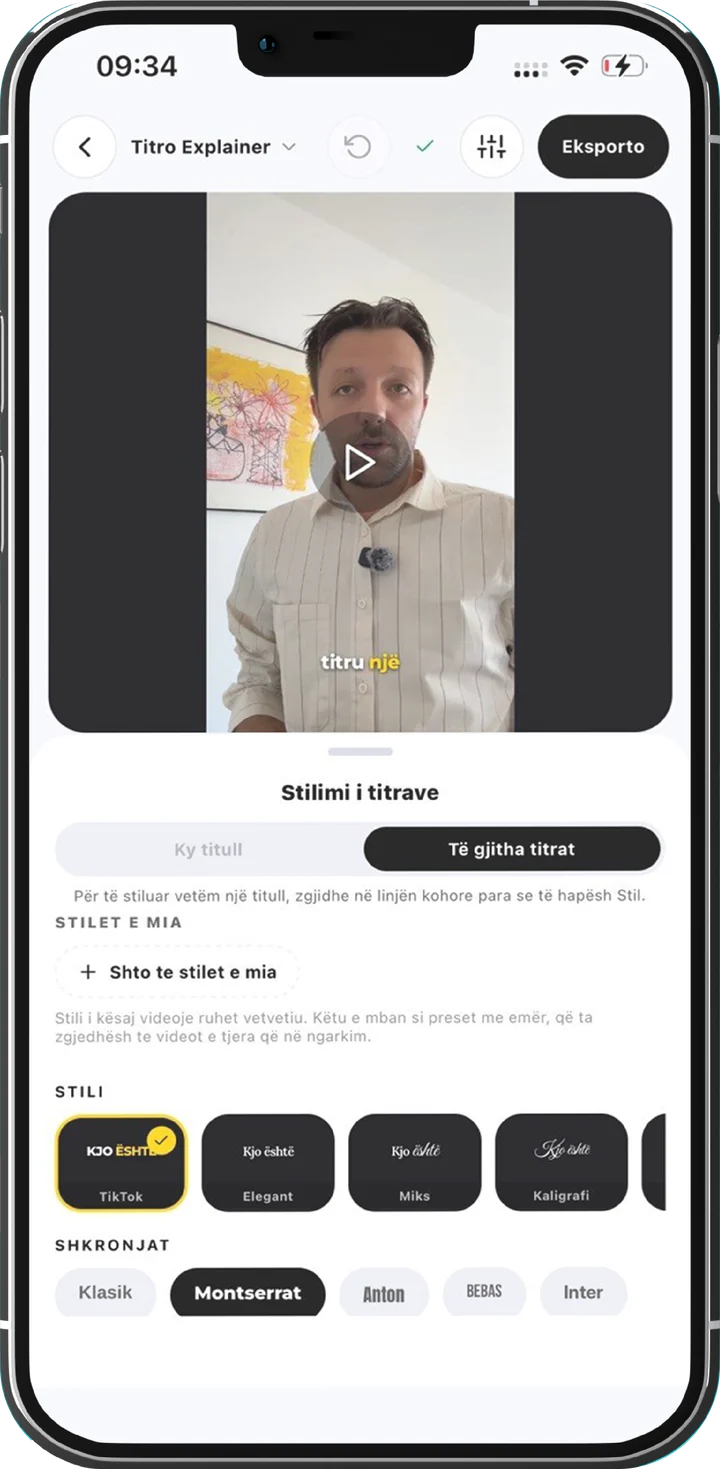
In Titro you can drag any caption anywhere in the frame, and one setting, the height from the bottom, moves all of them together. Lift the whole set clear of the bottom bar in one go instead of nudging captions one at a time.
How to do both without extra work
- 1
Upload the video once
In the Titro app or on the web. Pick the spoken language, or choose Auto and let Titro work it out.
- 2
Check the words
Tap any word to fix it. With the personal dictionary switched on, names you correct twice are spelled right in your next video.
- 3
Pick a style and export
The video comes back in its original resolution with the subtitles burned in, ready for TikTok, Reels, Shorts and everywhere else.
- 4
Keep the .srt for YouTube
Download it from Titro Studio and upload it with the video, so YouTube also gets searchable closed captions.
Platform captions are a fine default for people watching inside one app. If your video lives in more than one place, burn the subtitles in, keep the text file, and stop captioning the same clip three times.

