Home SRT file generator
.srt opens in YouTube, Premiere, DaVinci, Final Cut, VLC
An SRT file generator should give you a file you can trust without opening a text editor to fix the timing. Titro creates the .srt from a transcript timed to every word, so the cues land where the speech does.
From €4.99/month · 300 minutes of video · cancel any time
Or work on the web →
Many SRT generators time a whole sentence and leave you nudging cues in an editor. Titro’s transcript has a timestamp on each word, so the cue boundaries follow the speech, and a line you split in the editor keeps its timing.
For interviews and podcasts, each speaker’s name is written into the cues, so a platform that shows the .srt shows who said what. Rename a speaker once and the file updates.
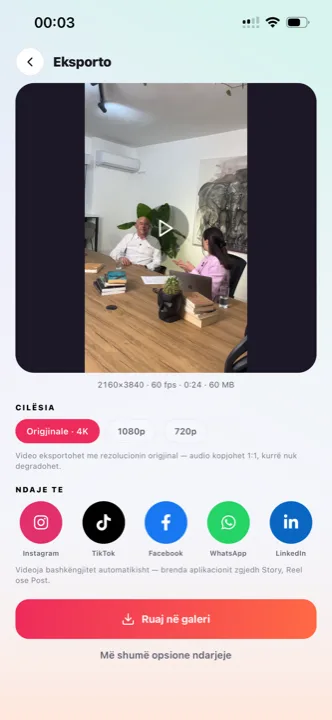
The same project exports the .srt for YouTube and a video with the subtitles burned in for TikTok, Reels and Shorts. Nothing is transcribed twice.
English, German and Albanian, including mixed sentences. Translate the subtitles with one click and export a second .srt for the other audience.
From your phone or in Titro Studio in the browser. Up to 60 minutes on Creator, 180 on Studio.
The transcript comes back with the exact time of every word. Long files take longer, on our servers.
Read through, fix anything unclear, and split lines that run long. Two or three words per cue read best on a phone; a sentence per cue is fine for a desktop player.
From the export screen. Upload it in YouTube Studio, import it into your editor, or open it as text.
SubRip text: a cue number, a start and end time to the millisecond, the words, a blank line. Every video platform and editor reads it, which is why it is still the format to ask for. Because it is plain text, it doubles as a transcript for show notes or an archive — if the transcript is what you are actually after, start from transcribe video to text.
Use the .srt where the viewer might want captions off, or where the platform indexes them: YouTube long-form, courses, archives. Burn the subtitles in where the feed is silent and the interface crowded: TikTok, Reels, Shorts, Stories and ads. Titro gives you both from one upload; the YouTube-specific trade-off is spelled out on YouTube Shorts captions.
Players show a cue for as long as its time range says. Cues over about 40 characters or under a second are hard to read. Titro’s split and merge keep the timing while you adjust the length.
In YouTube Studio, open the video, choose Subtitles in the left menu, pick the language, and select “Upload file” with timing included — the .srt is accepted as it comes out of Titro, speaker names and all. YouTube shows the cues in its own editor for a final read, publishes them as closed captions viewers can toggle, and indexes the text for search. Add a second language later by uploading a second file to the same video; if the subtitles were translated in Titro, both files come from one project. For editors instead of platforms — Premiere, DaVinci, Final Cut — import the same file onto the timeline and the cues land at their timestamps.
An .srt drifts for boring reasons: the video was trimmed or re-cut after the file was exported, an intro was added in front, or the file belongs to a different cut of the same footage. The cues are absolute timestamps, so thirty seconds added at the start pushes every cue thirty seconds late. The reliable fix is to re-export from the project that matches the final cut — in Titro, trim first, then download, and the timing is computed from the cut you kept. If you receive a drifting file from elsewhere, re-uploading the final video and generating fresh is usually faster than nudging cues by hand in a text editor.

Your first video is free up to three minutes, no card. After that, plans start at €4.99 a month for 300 minutes.
Yes, when you choose “more than one voice” at upload. Rename the labels in the editor and the file follows.
Yes, it is plain text. But it is usually faster to fix the words in Titro’s editor and export again, because the timing is kept.
English, German and Albanian, including mixed sentences, with one-click translation between them.
Not yet. Most platforms accept .srt directly, and free converters turn .srt into .vtt in seconds.
Yes. All three import .srt onto the timeline with the cues at their timestamps — the usual route when the subtitles should be styled inside the edit rather than burned by Titro.
The names are written into the cue text itself, so any player that shows the cue shows the name. Nothing proprietary is added — the file stays plain SubRip text that opens anywhere.
With any text editor — Notepad, TextEdit, VS Code — because it is plain text. Double-clicking may launch a video player instead; right-click and choose the editor when you want to read or copy the text rather than play it. The same applies in a phone’s file manager.
Upload it now and see it finished before your coffee’s done.