Home Teleprompter app for Android

Front camera the script scrolls under the lens

A teleprompter app for Android that captions the take.

Titro is a teleprompter app for Android phones that records as well. Paste your script, and it scrolls at the top of the screen, right under the front camera, while you film. When you stop, you watch the take back, and only if you keep it does Titro write the captions. The captions follow what you actually said, and the script makes sure names and terms come out spelled the way you wrote them.

From €4.99/month
Or work on the web →

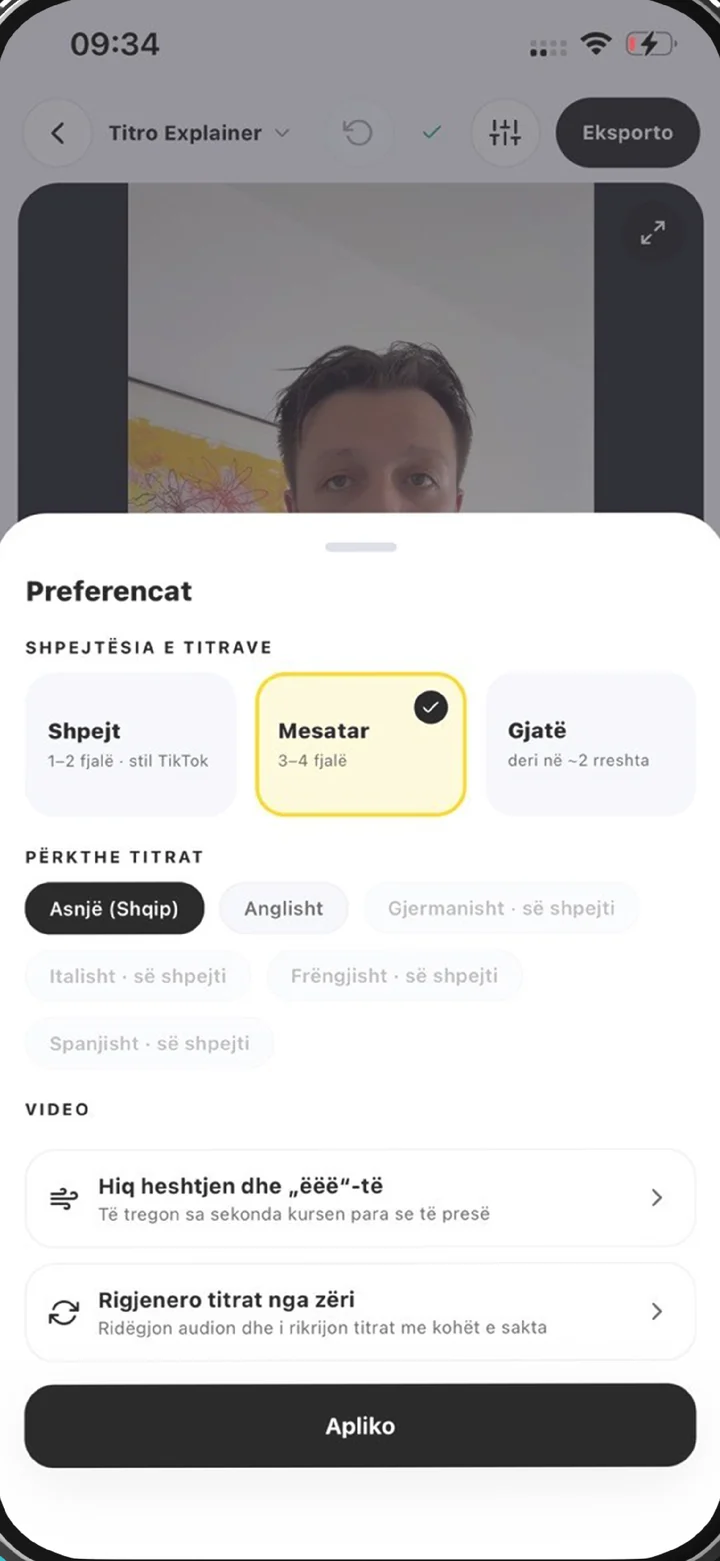
Teleprompter app for Android: Titro upload preferences for the recorded take
why

What the Android teleprompter does.

01 The script sits by the lens

The text scrolls in a panel at the top of the screen, as close to the front camera as it can be, so your eyes stay near the lens and you look at the viewer instead of at the middle of the phone.

02 Speed you can change mid-take

Set the pace in words per minute, from 60 to 260, starting at 140. If the text runs ahead of you, tap minus to slow it by ten; if you are waiting on it, tap plus. A countdown gives you a moment to settle before the scroll starts.

03 Nothing is sent until you say so

When you stop recording, the take plays back on the spot. Record again and it is thrown away, with the script kept for the next try. Keep it and Titro captions it; the take is also saved to your gallery.

04 Captions that follow your voice

Titro listens to the take and times every word to your voice. Words you skipped do not appear, and words you added stay in. The script only fixes spelling, so a brand, a name or a product number you said comes out exactly as you typed it.

steps

How to record with the teleprompter on Android.

01

Install Titro from Google Play

Open the app and go to the camera. The teleprompter button on the side opens the script sheet.

02

Paste the script and pick its language

Type or paste the text and choose the language it is written in. The app remembers the last script.

03

Record while you read

Press record, wait for the countdown and read. Change the speed with plus and minus as you go. The front camera is the default, and you can flip to the back camera.

04

Check the take and caption it

Watch the take back. Keep it, and the captions come back on the video in the editor, ready to style and export.

in practice

The Android teleprompter, in practice.

Where to put the phone

At eye level, an arm’s length away, with the light in front of you rather than behind. The further the phone, the less your eyes travel across a line, which is the movement that gives away a teleprompter. Set the speed a notch under your natural pace for the first take. More on eye line and pacing is in how to read a teleprompter.

What happens to the captions

The take opens in the same editor as any other video: presets, fonts, highlight colours, entrance effects, and a one-tap cut for long pauses. A teleprompter take is captioned in the language of the script, as one speaker. If you also want a translation, upload the saved take from your gallery as a normal video and pick the translation there.

If you only need a scrolling script

For a speech, a video call or a camera you record with separately, the free online teleprompter runs in Chrome on Android with no sign-up. It scrolls the script and nothing else: no recording, no captions, nothing uploaded.

What it costs

Installing the app is free, and your first video is free up to three minutes, with no card and a small Titro mark. A take uses plan minutes by its length when you caption it, like any upload. Creator is €4.99 a month for 300 minutes.

The same app on iPhone

The teleprompter works the same way in the iPhone app, and the account is the same on both phones and in Titro Studio on the web. The iPhone side is on the teleprompter app for iPhone page, and the overview on teleprompter app.


questions

What you should know.

Is there a teleprompter app for Android that also records?

Yes. In the Titro app for Android the script scrolls by the front camera while the app records the take.

Is it free?

Installing is free and the first video is free up to three minutes, with no card and a small Titro mark. After that, plans start at €4.99 a month.

Can I change the speed while recording?

Yes. Plus and minus change it by ten words per minute, between 60 and 260.

Do the captions copy my script word for word?

No. The captions follow what you actually said. The script only fixes the spelling of words you spoke.

Can I use the back camera?

Yes. The front camera is the default, and you can flip to the back one.

Can I translate a teleprompter take?

Not in the same step. A take is captioned in the script’s language. Upload the saved take as a normal video to add a translation.

Is there a free teleprompter in the browser?

Yes. The online teleprompter runs in Chrome on Android, free and without an account. It does not record.

also

Subtitles for everywhere you post.

Try it on your next video.

Upload it now and see it finished before your coffee’s done.

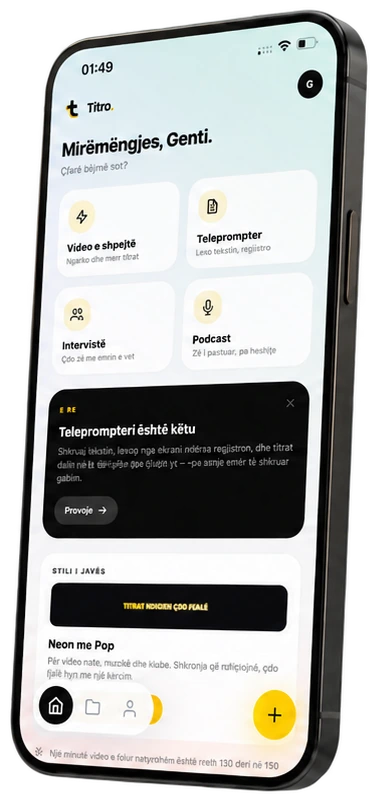
Titro on a phone, showing the home screen and subtitle tools