Home Final Cut Pro captions

Generate Captions on Macs with Apple silicon

Final Cut Pro captions: Generate Captions, .srt, and the Titro route.

Current versions of Final Cut Pro for Mac caption a video from its speech. The feature is called Generate Captions, and it makes either closed captions or styled subtitles. It needs a Mac with Apple silicon. In Final Cut Pro 11 the same idea was called Transcribe to Captions and worked in English only; Final Cut Pro 13 added 23 languages, which need macOS 27. Final Cut Pro also imports and exports .srt files, which is where Titro fits if your Mac, your language or your workflow is not covered.

From €4.99/month
Or work on the web →

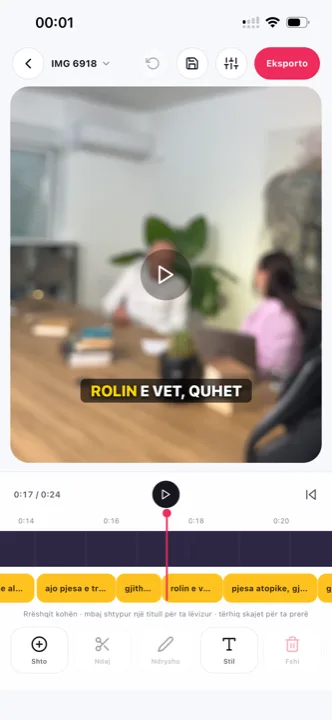
Captions for a Final Cut Pro export in Titro: the caption editor on the video
why

What Final Cut Pro does with captions.

01 Closed captions or subtitles

Generate Captions offers two results. Closed Captions makes SRT-format captions in a captions lane at the top of the timeline, which viewers switch on or off. Subtitles makes title clips connected to the storyline, styled like any other title.

02 Subtitles that animate by the word

Subtitles made this way can animate with Fade, Scale, Highlight or Fill, by character, word, line or all at once. A Vertical Social Media Safe option keeps them clear of the buttons in 9:16 video.

03 What it needs

A Mac with Apple silicon. The first time, Final Cut Pro downloads a language model, which needs an internet connection once. Some languages need macOS 27 or later. Intel Macs are not supported.

04 Files in and out

File > Import > Closed Captions reads .srt, .itt and .scc files. File > Export Closed Captions writes them back out as sidecar files, one per language role.

steps

How to generate captions in Final Cut Pro.

01

Select the clips with speech

In the timeline, select one or more clips that contain dialogue. Cleaning the audio first with Voice Isolation or Noise Removal can help the result.

02

Choose Generate Captions

Choose Edit > Generate Captions, then Closed Captions (Shift-Command-C) or Subtitles (Shift-Command-S). The same menu is in the Enhancements pop-up below the viewer and in the Control-click menu.

03

Pick the language

Choose the spoken language and, if needed, the country, then click Generate. Each clip is transcribed and the captions are timed to the words.

04

Check, style and share

Read through the captions and fix names and terms. For subtitles, set the animation in the inspector. Export a sidecar file with File > Export Closed Captions if you need one.

in practice

Final Cut Pro captions and subtitles, in practice.

If Generate Captions is missing

The usual reasons are an Intel Mac, which the feature does not support, or an older Final Cut Pro. Final Cut Pro 11 had Transcribe to Captions, English only, on macOS Sequoia or later, and it made captions in the iTT format. In both cases the way round is a caption file made elsewhere, brought in with File > Import > Closed Captions.

Getting an .srt from Titro

Export the edit, upload it to Titro Studio in Safari or Chrome, and download the .srt. Every word is timed to the voice, and speaker names go into the file when more than one person talks. In Final Cut Pro, choose File > Import > Closed Captions to add them to the project. Titro writes subtitles in Albanian, English, German, Italian, French and Turkish, including sentences that mix them. More on the file is on the SRT file generator page.

Or let Titro burn the captions in

For talking videos headed to TikTok, Reels or Shorts, you can skip captions in Final Cut Pro entirely. Share the cut, upload it to Titro on the Mac or in the iPhone app, and pick one of 15 presets with the highlight following the spoken word, 8 fonts, 9 entrance effects and 7 highlight colours. Titro exports at up to 1080p, so a 1080p cut keeps its resolution and a 4K cut comes back at 1080p, with the audio copied untouched. For a 4K master, import Titro’s .srt into Final Cut Pro instead.

Final Cut Pro for iPad

Final Cut Pro for iPad has Generate Captions too, on iPadOS 26 or later, with some languages needing iPadOS 27. If you edit on the iPad and post from the iPhone, the Titro app on the phone takes the export straight from the library.

iMovie is a different story

Final Cut Pro’s little sibling has no automatic captions and cannot import an .srt. If the project started in iMovie, the options are on the iMovie subtitles page.

What it costs

Final Cut Pro is $299.99 as a one-time purchase on the Mac App Store, or part of an Apple Creator Studio subscription at $12.99 a month or $129 a year, with a 30-day free trial for new subscribers. Titro’s first video is free up to three minutes, with no card and a small Titro mark. Creator is €4.99 a month for 300 minutes, with no mark on exports.


questions

What you should know.

Does Final Cut Pro have auto captions?

Yes. Generate Captions makes closed captions or subtitles from the speech in your clips. It needs a Mac with Apple silicon.

Is Transcribe to Captions still in Final Cut Pro?

That was the name in Final Cut Pro 11, where it worked in English only. In Final Cut Pro 13 the feature is Generate Captions, with more languages on macOS 27.

Can Final Cut Pro import an .srt file?

Yes. Choose File > Import > Closed Captions. It also reads .itt and .scc files.

How do I export captions from Final Cut Pro?

Choose File > Export Closed Captions, pick the language roles and the start time, and export a sidecar file such as .srt.

Why is Generate Captions greyed out or missing?

Most often the Mac has an Intel processor, which the feature does not support, or Final Cut Pro is an older version. Importing an .srt works either way.

Can I make word-by-word animated subtitles in Final Cut Pro?

Yes. Subtitles made with Generate Captions can animate by word, with Highlight, Fill, Fade or Scale.

What resolution does Titro export?

Up to 1080p. A 1080p video keeps its resolution and a 4K video comes back at 1080p, with the audio untouched.

also

Subtitles for everywhere you post.

sources

Where these facts come from.

Vendor pricing and help pages first; a third-party source only where the vendor publishes no page. If something has changed, write to support@titroshqip.com and we will correct it.

Try it on your next video.

Upload it now and see it finished before your coffee’s done.

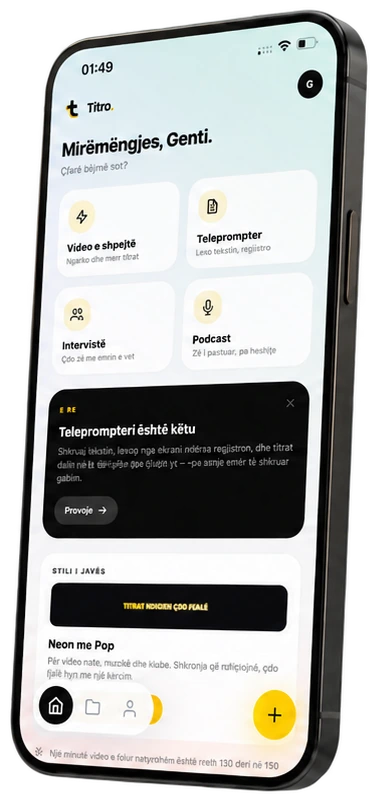
Titro on a phone, showing the home screen and subtitle tools